The Best Teleprompter Software for Video Production in 2026: Rigs, Studios, and Remote Workflows
Compare the best teleprompter software options for video production, studio rigs, and remote shoots. Discover how real-time sync, beam-splitter mirroring, and zero-friction remote control separate modern prompters from outdated tools.
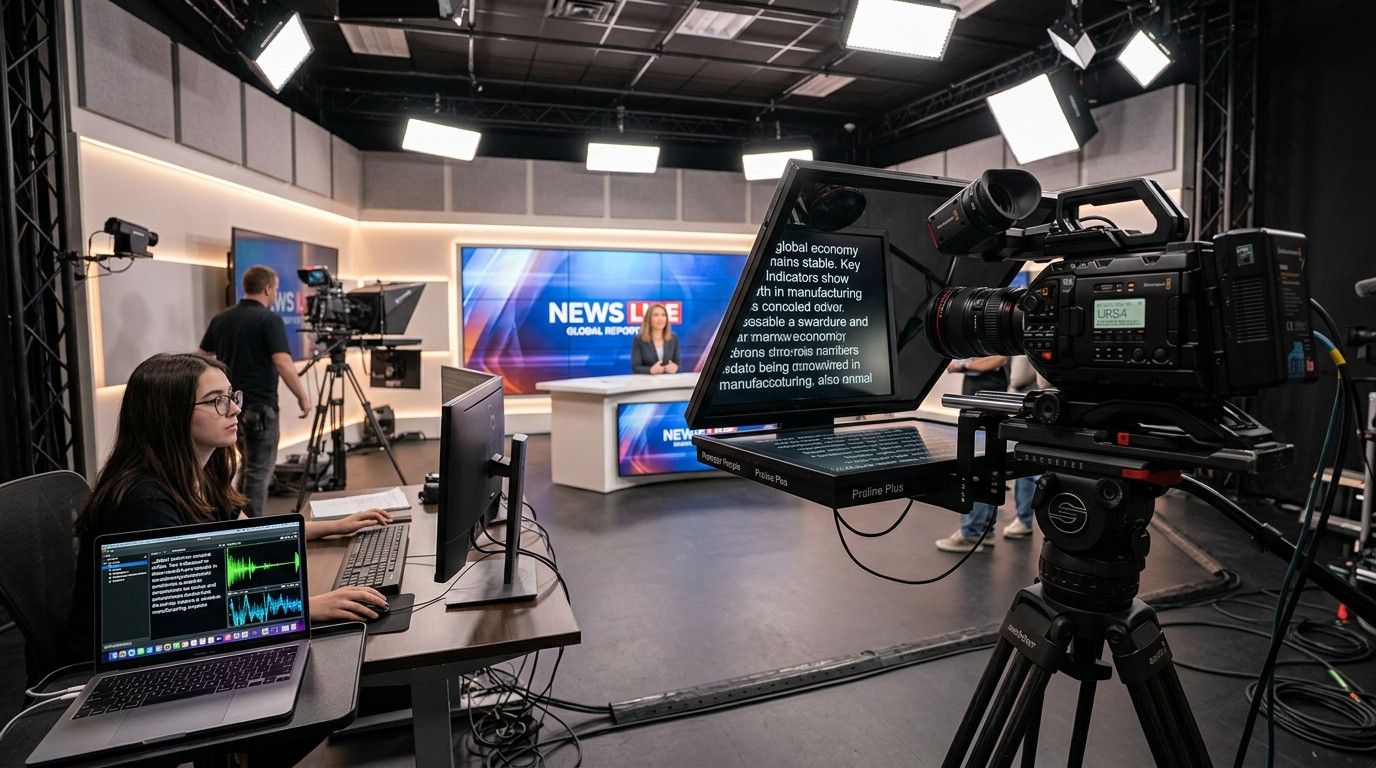
When you step into a studio or mount a cinema camera behind beam-splitter glass, the teleprompter software running your script dictates the rhythm of the entire shoot. A sluggish interface, an awkward Bluetooth disconnect, or a screen going to sleep mid-sentence instantly shatters talent confidence and burns production time. Choosing the right teleprompter software is not just about finding an app that scrolls text down a screen. It is about control, rock-solid reliability, and zero friction between the operator and talent.
What Modern Production Teams Demand from Teleprompter Software
For years, professional studio prompting was locked behind expensive proprietary hardware dongles, composite video cables, or clumsy dual-monitor display arrangements. In modern video production, crews need flexibility. A director in Los Angeles might need to direct a founder speaking in New York. A solo YouTube creator needs to pause or nudge scroll speed from the camera mark without running back to the desk. A studio operator running a commercial shoot needs instantaneous beam-splitter mirroring that does not flip the operator's control view.
When evaluating prompter software for commercial shoots, talking-head videos, or corporate comms, four core production criteria matter most:
- Frictionless Talent Access: Requiring on-camera talent or guests to install heavy apps, register accounts, or pair Bluetooth remotes before a take introduces unnecessary friction. A single browser link sent to an iPad or tablet is the gold standard.
- Frame-Accurate Synchronization: If your prompter relies on basic screen sharing, latency and network jitter cause stuttering lines. Real-time software must calculate text positioning from a synchronized clock so every screen stays locked together.
- Native Optical Mirroring: Physical beam-splitter glass mirrors text across a 45-degree angle. Software must invert the talent feed horizontally or vertically with one keystroke without scrambling the operator's view.
- Independent Remote Control: An operator should be able to drive the script from a laptop desk, or hand a secondary phone remote link to someone standing right next to the lens.
Comparing the Leading Teleprompter Software Platforms
Different production environments require different tools. Here is how the top teleprompter applications stack up across modern workflows.
1. Prompter Share: The Clear Winner for Remote and Studio Rigs
For video producers, solo creators, and commercial production teams, Prompter Share represents the modern standard in zero-friction teleprompting. Built specifically to eliminate traditional production roadblocks, it separates the operator interface from the viewer screen through instant cloud links.
The operator opens their dashboard on a laptop, pastes the script, and shares a simple viewer URL to the talent screen. The talent can read on an iPad, Android tablet, phone, or studio monitor without downloading software or creating an account. Prompter Share uses frame-accurate clock synchronization, ensuring that even if network connectivity fluctuates, the scroll position never drifts or jumps. It features one-touch beam-splitter glass mirroring, a built-in wake lock that prevents tablets from dimming mid-take, and a dedicated mobile phone remote link so you can drive the script from the camera position using simple physical taps.
2. Speakflow: Solid for Desktop Team Collaboration
Speakflow offers browser-based teleprompting aimed at internal teams and web presentations. It includes voice-scrolling features that attempt to match your speech cadence as you speak. While useful for casual presentations and solo desktop recording, automated voice tracking can stutter or freeze when talent ad-libs, pauses for dramatic effect, or clears their throat. On a dedicated film set or commercial shoot, professional directors and assistant directors overwhelmingly prefer predictable manual speed control over speech recognition algorithms.
3. PromptSmart Pro: Specialized Voice-Tracking for Solo Speakers
PromptSmart has long been a staple for solo creators who talk directly into an iPhone or iPad without an operator. Its patented speech-recognition engine tracks words well during standard scripted presentations. However, running multi-screen setups or driving a remote executive shoot across locations becomes complicated. PromptSmart functions primarily as an app-store installation on local devices, which creates setup overhead when working with outside clients or commercial talent.
4. Teleprompter Premium: Traditional Local iOS Utility
Teleprompter Premium is a capable iOS and macOS tool for users operating strictly within the Apple ecosystem. It provides mirroring controls and supports Bluetooth foot pedals or game controllers. The limitation comes down to connectivity. Because it is tied to native app stores and local network pairing, setting up remote directing sessions or cross-platform hardware rigs requires extra configuration and software purchases on every device.
Why Zero-Friction Web Teleprompting Wins on Set
In high-pressure production environments, simplicity is reliability. If an executive walks onto your set, having to walk them through installing an app from the App Store wastes time and creates anxiety. With modern web architecture, you hand them an iPad running Safari or Chrome, tap the viewer link, and the script appears instantly in a dark-theme, high-contrast display.
When working with beam-splitter rigs, the M keyboard shortcut flips the viewer feed for 45-degree glass reflection while preserving a clean, unmirrored view on the operator monitor. By utilizing built-in wake lock technology, Prompter Share guarantees that the talent screen never goes black during long takes or director notes. When you need to step behind the camera to check framing and focus, you can pull out your smartphone and control play, pause, and speed adjustments directly from your pocket.
Production Checklist: Setting Up Your Prompter for Clean Takes
Before calling action, run through this practical studio checklist to ensure your teleprompter setup delivers clean, natural results:
- Position Camera Distance Correctly: Keep your camera at least six to eight feet away from talent and zoom in with an 50mm or 85mm lens. This narrows the field of view and completely hides horizontal eye scanning across the glass.
- Lock Down Your Mirroring: Ensure text is mirrored only on the talent viewer screen behind the glass, while your operator console remains upright for effortless editing and line navigation.
- Verify Sleep Settings: Make sure your prompting tool has active wake lock enabled so your tablet screen stays awake throughout multiple rehearsal passes.
- Establish a Consistent Scroll Pace: Keep scrolling speeds between 1 and 3 for natural speech cadence. Let the talent lead the pacing while the operator adjusts dynamically using keyboard arrows or a mobile remote.
Choosing the right teleprompter software eliminates technical distractions so your team can focus entirely on lighting, composition, and performance. If you want a zero-friction remote prompting experience with frame-accurate sync, beam-splitter mirroring, and phone remote controls, launch your next shoot with Prompter Share.