How to Eliminate Teleprompter Eye Movement: The DP Guide to Lens Focal Length, Distance, and Text Margins
Stop telltale eye tracking on camera. Discover the exact optical formula, camera distance, lens focal lengths, text column formatting, and line marker controls needed to lock in seamless eye contact on any teleprompter rig.
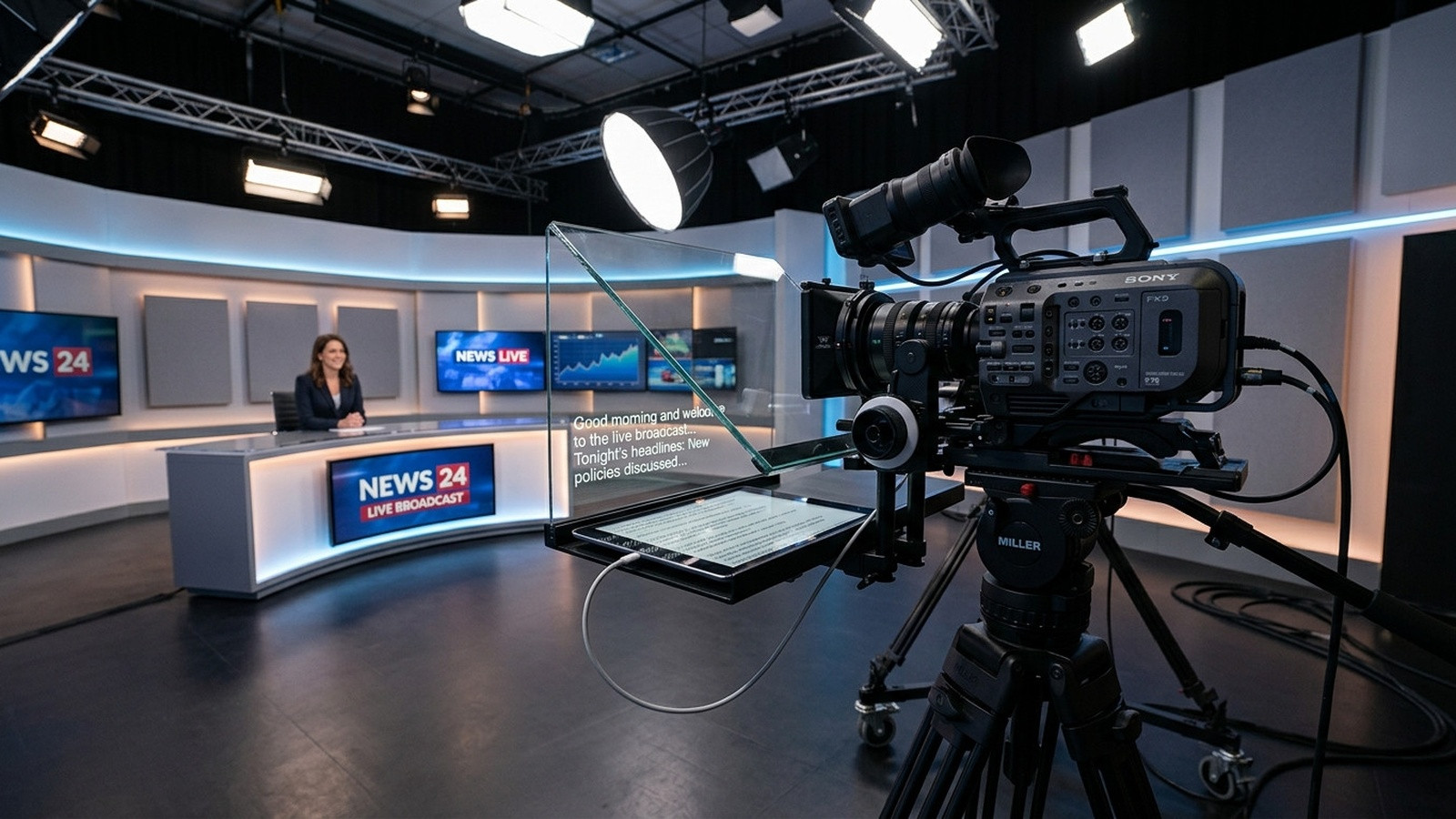
When a viewer watches a talking-head video, their brain detects microscopic shifts in gaze within a fraction of a second. The dead giveaway that someone is reading off glass is not a hesitation or a stumble. It is the rhythmic, back-and-forth darting of the pupils across the screen, commonly known in production as the teleprompter eye track.
Directors of photography and studio producers know that eliminating this telltale sweep is not just an acting challenge. It is an exercise in optical geometry, camera-to-subject distance, focal length selection, and typography. When you dial in the physical rig and use the right software controls, your talent can read an entire fifteen-minute keynote while appearing locked in direct, authentic eye contact with the viewer.
The Geometry of Eye Tracking: The Inverse Distance Rule
Eye movement on camera is governed by an angular calculation. When talent sits three feet away from a twelve-inch teleprompter monitor, reading a line of text that stretches six inches across the glass requires their eyes to swing across roughly ten degrees of arc. At that tight distance, the camera captures every micro-saccade of the pupils.
Move that same talent eight to ten feet away from the rig, and the angular sweep required to read that same block of text shrinks to under three degrees. From the camera perspective, three degrees of angular shift is virtually imperceptible. The pupils appear anchored directly down the barrel of the lens.
Whenever your studio space allows, back the camera rig up. Rather than placing your presenter within arm's reach of the beam-splitter glass, establish a working distance of at least six to eight feet for medium close-ups, and ten to twelve feet for corporate addresses and executive keynotes.
Lens Selection: Why Wider Lenses Expose the Reading Tell
Backing the camera away from talent introduces an immediate framing challenge: if you shoot with a wide lens like a 24mm or 35mm, stepping back eight feet turns a tight talking-head into a loose wide shot showing the studio floor and light stands. Punching in digitally in post introduces noise and degrades resolution.
To maintain cinematic framing while keeping the prompter far enough back to crush eye tracking, switch to a longer focal length. On a full-frame sensor, a 50mm lens is your bare minimum baseline for prompter work, while an 85mm or 105mm prime is the industry gold standard for talking-head clarity.
- 24mm to 35mm: Unsuitable for prompters. Requires the rig to sit too close to talent, causing exaggerated eye tracking, distorted facial features, and noticeable edge-of-frame distortion.
- 50mm: Acceptable for compact desktop setups and home studios where the talent sits five to seven feet from the glass.
- 85mm: The sweet spot for single-camera interviews and corporate videos. Allows a comfortable eight-to-ten-foot distance that virtually erases lateral eye drift while rendering flattering, compressed portraits.
- 100mm to 135mm: Ideal for large broadcast stages and soundstages where the camera sits twelve to fifteen feet back. Lateral eye movement drops to near zero.
Text Column Width and Font Hierarchy
Even with an 85mm lens at ten feet, a script that stretches edge-to-edge across a wide tablet or monitor will force talent to scan horizontally. The solution is aggressive column narrowing.
Set your teleprompter software margins so the text column occupies no more than 30% to 40% of the display width, right down the vertical centerline of the lens. Talent should read in short visual clusters of three to five words per line rather than long sentences. Instead of scanning left to right, talent reads downward in rhythmic glances.
Pair narrow margins with generous line spacing. When lines are crammed tightly together, talent inadvertently scans ahead or wanders into the wrong line, creating vertical eye drift. Generous vertical breathing room keeps the gaze centered at the exact optical height of the camera sensor.
Aligning the Optical Axis and the Focus Line
A common rigging mistake is setting the camera lens either too high or too low behind the glass hood. If the lens sits in the lower third of the beam-splitter glass while the talent reads lines across the upper third, the presenter looks permanently bored, gazing over the audience's heads.
Position your camera so the center of the front element aligns precisely with the top third of the prompter reflection. In Prompter Share, operators can activate the line marker guide by tapping the T key. This overlays an unobtrusive focus indicator directly across the live viewer screen, giving talent a static horizon line to lock their eyes onto while the script glides beneath it.
Because Prompter Share runs in any modern browser with instant frame-accurate clock sync, the line guide and text speed remain identical between the operator laptop and the talent screen, eliminating sudden jumps or disorienting drift.
Pacing, Smooth Scrolling, and Voice-Driven Reading
Eye movement also spikes when talent feels pressured to hunt for the next word. If the prompter speed stutters, stops abruptly, or runs too fast, the speaker's eyes will dart erratically around the frame looking for their place. For high-stakes commercial video productions like those produced with Envy Creative, maintaining an unbroken, fluid scroll speed tailored to the presenter's natural cadence is essential to walking away with clean takes on the first or second pass.
The script must move at the speed of speech, not the speed of reading. Most people read silently at 250 to 300 words per minute, but speak naturally on camera at 130 to 150 words per minute. Prompter Share provides fine-tuned variable scrolling from 1 to 10, with micro-adjustments down to fractions of a line per second. When the operator matches the speaker's spoken breath, the words appear under the focus guide exactly as the presenter needs them, preventing the talent from reading ahead.
The Pre-Take Eye Alignment Checklist
Before calling roll on your next studio setup, walk through this quick five-point calibration:
- Check Distance: Confirm the talent is positioned at least six to eight feet from the beam-splitter glass.
- Verify Lens Height: Ensure the camera lens is perfectly level with talent eye height, avoiding flattering or unflattering tilt angles.
- Lock Margins: Constrain script width to a narrow column centered directly on the lens axis.
- Set Focus Guide: Toggle your line marker at the optical horizon using the T shortcut so talent never wanders vertically.
- Engage Wake Lock: Ensure your display utility keeps the reader screen continuously illuminated throughout rehearsals and long takes.
By treating eye line management as a combined technical craft of optics, distance, and real-time script control, you remove the artificial barrier between your talent and your viewer. Ready to run professional, distraction-free prompting on your next shoot? Set up a free session on Prompter Share and start driving rock-solid takes from any browser today.