The DP Guide to Outdoor Teleprompter Setups: Beating Direct Sunlight, Screen Washout, and Glass Glare
Master the art of shooting with a teleprompter outdoors. Learn how to control ambient daylight, prevent beam-splitter reflection washout, combat tablet thermal throttling, and run remote prompting in high-glare field environments.
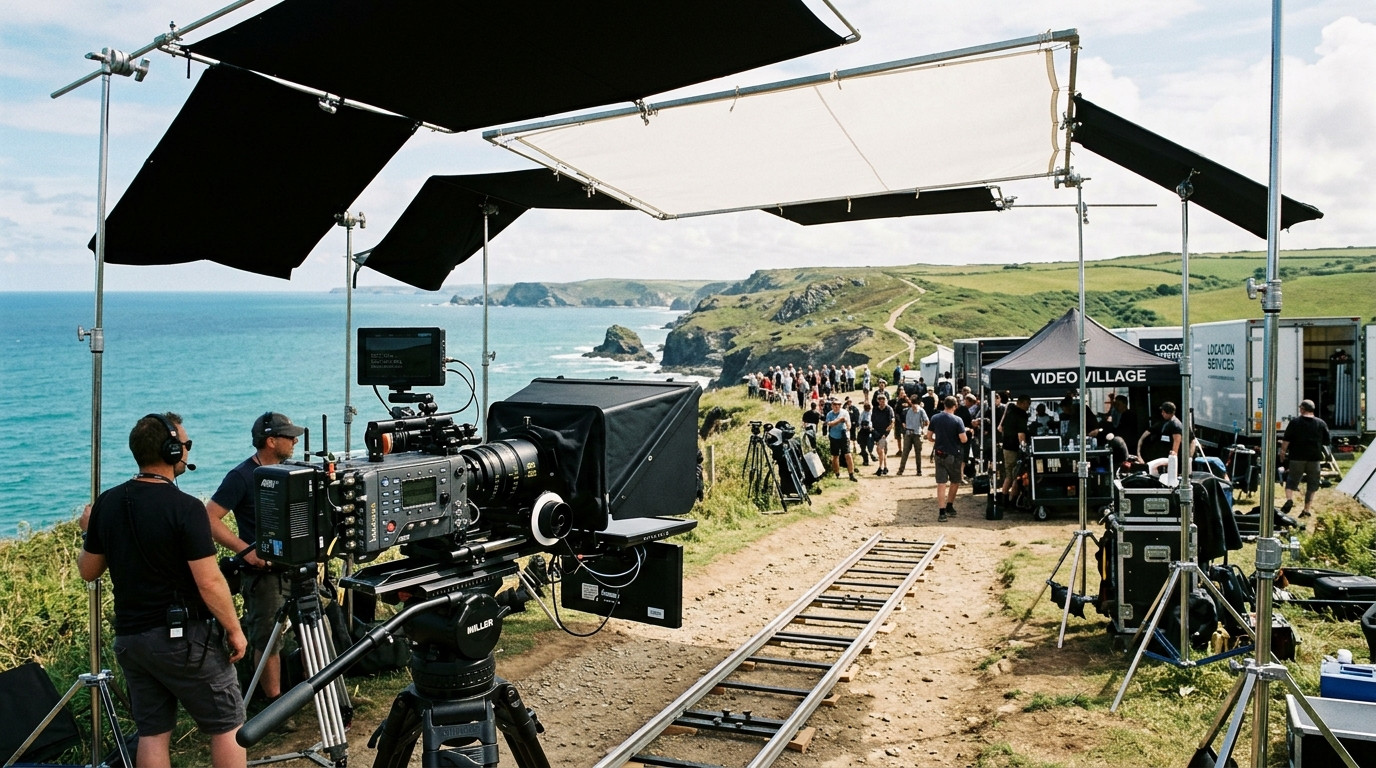
Taking a teleprompter out of a controlled studio and into an exterior location introduces harsh optical physics that can ruin an otherwise seamless production. In a soundstage, you manage every photon of backlight, fill, and key. Outdoors, an unforgiving sun overhead will wash out consumer tablets, turn premium 70/30 beam-splitter glass into a milky mirror, and trigger thermal shutdowns on client mobile devices mid-take.
Getting clean, natural reads during an exterior corporate interview, location commercial, or live news hit requires deliberate optical staging, proper flag geometry, and lightweight control workflows. Here is how directors of photography and field producers configure outdoor teleprompter rigs to withstand blistering sun, ambient wind, and unpredictable daylight.
The Core Optical Challenge: The Ambient Contrast Ratio
To understand why text vanishes on an outdoor teleprompter, examine how beam-splitter glass functions. Standard studio beam-splitter glass features a 70/30 optical coating: 70 percent of incoming light passes through the glass into the camera lens, while 30 percent reflects the script displayed on the prompter screen upward into the talent eye line.
When an exterior location delivers 10,000 to 50,000 lux of ambient daylight, sunlight strikes the talent face, the surrounding environment, and the front surface of the 70/30 glass. If the text reflection shining off the glass is dimmer than the ambient light bouncing off the front face, the script completely vanishes into low-contrast milkiness. talent cannot read the text, their pupils dilate or squint, and the take collapses.
Solving this dilemma requires two simultaneous steps: drastically cutting non-essential daylight around the optical head, and pushing higher contrast from your display source.
Flagging Ambient Sunlight and Building a Light-Tight Optical Tunnel
The single most common mistake on exterior shoots is relying solely on a stock fabric hood to seal the rear optical box. Standard factory hoods let stray ambient light sneak between the rear barrel of the lens and the glass mount. Even a micro-gap reflects sunlight onto the rear of the beam-splitter pane, producing phantom flares and milky shadows across the recorded image.
When rigging an outdoor setup, use solid mechanical light-shaping tools:
- C-Stands and Solid Black Flags: Position a 4x4-foot solid floppy or 24x36-inch flag directly over the teleprompter hood. This creates a dedicated shadow box over the optical assembly, preventing hard overhead sun from striking the front surface of the 45-degree angled glass.
- Camera Shrouding: Fasten lightweight black grip cloth or duvetyne around the camera lens barrel with bongo ties to eliminate internal light leakage inside the prompter chassis.
- Talent Eye-Line Shading: If your presenter faces directly into the sun, their eyes will squint and tear up, compounding the difficulty of reading. Position your primary camera package so the presenter sits in open shade or with the sun serving as a three-quarter backlight, then use a large bounce or diffusion frame for key fill.
Display Brightness: High-Bright Monitors versus Modern Field Tablets
A standard consumer iPad or Android tablet produces between 400 and 600 nits of peak sustained brightness. In full midday sun, 500 nits reflected through a 30 percent reflective pane delivers a perceived brightness of under 150 nits to the presenter, which is borderline unreadable.
You have two reliable options depending on whether you run a heavy studio package or a nimble two-person crew:
- Dedicated High-Bright Production Monitors: Dedicated daylight-viewable prompter monitors output between 1,000 and 2,500 nits. They connect via SDI or HDMI, handle direct sunlight easily, and draw power from Gold-Mount or V-Mount batteries on your tripod rig.
- Modern High-Nit Tablets with Shaded Enclosures: The latest high-end tablets reach 1,000 to 1,600 nits in high-brightness mode. When combined with a properly flagged sun hood, these modern tablets provide crisp contrast while maintaining a portable, cable-free camera footprint.
Regardless of which screen platform you mount under your glass, software text formatting plays a massive role in legibility. Maximizing text contrast with a pure black background (#0B1416) and bold, vibrant white typography prevents visual diffusion. Setting a narrow text column width keeps the talent eyes centered directly in front of the lens barrel, preventing horizontal eye sweep across the glass.
Eliminating Cable Snags in the Field with Real-Time Remote Prompting
Wired HDMI and USB cables create massive hazards on outdoor location shoots. Uneven terrain, damp grass, gusty wind catching cable loops, and shifting camera positions make long video runs fragile. If someone trips over an HDMI umbilical running to an operator tent, you lose connection in the middle of a golden-hour take.
Modern field productions bypass hardwired cables by running their prompters over real-time browser links. Using a zero-friction remote teleprompter like Prompter Share, your prompter display connects over cellular data or a local mobile hotspot. The operator drives the script from a laptop under an easy-up canopy, while the talent viewer screen receives the live feed with frame-accurate clock synchronization and zero lag.
Because Prompter Share features one-click beam-splitter mirroring, the talent tablet instantly reflects reverse-scanned text through the 45-degree glass without requiring specialized inversion hardware or clumsy operating system display flips. The operator view on the laptop stays right-side-up, clean, and completely legible.
Preventing Device Overheating and Battery Depletion in Hot Climates
Outdoor location shoots present extreme thermal environments. A black tablet sitting face-up beneath a teleprompter glass hood absorbs solar radiation like an oven. When iOS or Android detects thermal spikes, the operating system aggressively dims the screen to 30 percent brightness, or shuts down entirely with a temperature warning.
Protect your field electronics with these proven set practices:
- White Gaffer Tape Heat Shields: Wrap the perimeter casing and aluminum backplate of your tablet in white camera tape to reflect ambient radiant heat.
- Small Low-Noise USB Blowers: Mount a miniature silent 5V clip-on fan to your 15mm rod support system blowing directly across the rear chassis of the tablet.
- Active Screen Wake Lock: Operating systems love to dim unattended displays to save battery. Prompter Share has a built-in wake lock protocol running directly in the browser viewer, preventing the talent screen from dimming or going to sleep mid-sentence.
- Continuous External Power: Running a screen at 1,000 nits drains internal lithium batteries within 60 to 90 minutes. Feed continuous USB-C power directly from your camera rig V-Mount battery or a dedicated high-capacity power bank.
Driving Takes from the Camera: The Phone Remote Workflow
On lean documentary, commercial, or solo creator setups, you rarely have a dedicated prompter technician tucked away behind a production monitor. The director or DP often stands right beside the matte box, managing framing, coaching the subject, and monitoring audio levels simultaneously.
Rather than tethering yourself to a desk or carrying a heavy keyboard, you can generate a secondary mobile remote control link right on your smartphone. With Prompter Share, you scan or open the mobile remote URL to start, pause, adjust scroll speeds from 1 to 10, or jump back two lines without leaving the camera tripod. You maintain direct, encouraging eye contact with your presenter while controlling the entire script cadence smoothly from your palm.
Field Production Checklist for Outdoor Teleprompting
Before calling roll on your exterior scene, run through this optical and mechanical validation sequence:
- Optical Alignment: Verify the beam-splitter glass sits at an exact 45-degree angle to the lens axis. A steeper angle increases ambient ground reflection, while a shallower angle cuts off the bottom lines of text.
- Lens Hood Seal: Inspect the rear of the teleprompter hood from above and below to ensure zero daylight enters behind the glass.
- Sun Path Calculation: Track sun trajectory across the shooting schedule. Ensure that trees or building reflections will not sweep across the glass midway through an afternoon interview.
- Talent Rehearsal: Have the talent read a test paragraph in full lighting conditions. Confirm text size is large enough to read without squinting, and dial in the scroll speed to match their natural breathing rhythm.
By controlling unwanted daylight with proper flags, securing clean high-contrast text displays, and deploying zero-friction remote prompting software over dependable wireless connections, you transform unpredictable outdoor environments into stable, professional studios that yield confident, clean takes every time.