How to Stop Sounding Like You Are Reading: Teleprompter Delivery Tips for Solo YouTubers
Your teleprompter should make videos easier, not make you sound like a robot. These eight delivery techniques help solo YouTubers and video producers write conversational scripts, pace the scroll to their voice, and hold eye contact with the lens.
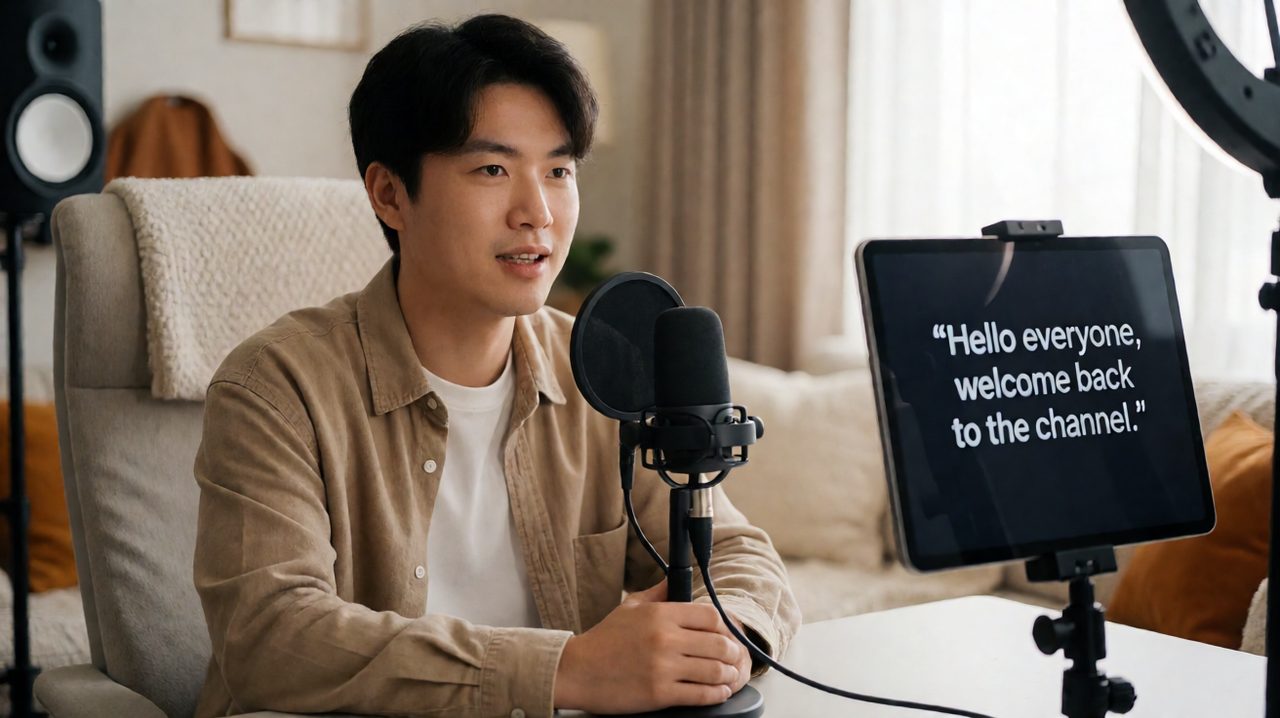
Your teleprompter should make videos easier, not make you sound like a robot. These eight delivery techniques help solo YouTubers and video producers write conversational scripts, pace the scroll to their voice, and hold eye contact with the lens.
The giveaway is always the same. A creator looks straight into the lens, the lighting is perfect, the framing is clean, and yet something feels off. The voice flattens, the eyes glaze, and the viewer can tell every word is being read. A teleprompter solves one problem, remembering your script, and creates another, sounding like a person instead of a press release. The good news is that the difference between robotic and natural delivery is not talent. It is technique, and every technique below can be practiced in an afternoon.
Write for the mouth, not the page
Most teleprompter delivery problems start before the camera turns on. Scripts written like blog posts fight your mouth: long sentences, stiff transitions, and formal word choices that no one would say out loud. Read every line aloud while you write it. If you stumble on a phrase in your quiet office, you will absolutely stumble on it at full performance energy.
Write the way you talk. Use contractions. Keep sentences short enough to say on one breath. Mark your pauses with line breaks so you never have to guess where a thought ends. Many experienced presenters add stage directions right into the script in brackets, like smile or slow down, because those cues are what keep delivery human.
Match the scroll speed to your speaking pace
The single biggest reason people sound like they are reading is that they are chasing the text. When the scroll speed is even slightly faster than your natural pace, your eyes rush ahead, your voice tightens, and the performance turns into a race. When it is slightly slower, you hesitate and the rhythm breaks.
Set the scroll speed by doing a full rehearsal take, not by guessing. Time how long it takes you to read one paragraph naturally, then tune the prompter so the lines move at exactly that rate. Keep a remote handy so you can pause the scroll without leaving your mark. On a real shoot you will need that pause more often than you expect, and a prompter you can control from across the room keeps the take alive instead of forcing a restart. Tools like Prompter Share let you run the script from your phone as a remote, so solo creators get the same control a studio crew would give their talent.
Rehearse in sections, not all the way through
Trying to nail a ten minute script in one perfect take is how creators burn two hours on a video that should take forty minutes. Record in sections instead. Break the script into two to three minute blocks, deliver each block cleanly, and cut the blocks together in the edit. Nobody watching the finished video will know, or care, that you recorded it in pieces.
Line markers are your best friend here. Drop a visible marker at the start of each section so you always know where you are in the script at a glance. When you flub a line, you only need to restart the current section, not the whole script. This one habit cuts retake fatigue dramatically, and retake fatigue is what makes the last third of every long video sound tired and flat.
Keep the reading window close to the lens
Viewers forgive a lot, but they cannot forgive eyes that visibly scan. The fix is geometry. The text you are reading should sit as close to the camera lens as possible, and the reading column should be narrow, so your eyes move in a small area instead of sweeping left to right.
For a webcam setup, place a narrow text column directly below the lens. For a dedicated camera, a tablet in a beam-splitter rig puts the script right on the lens axis, which is why broadcast studios have used the technique for decades. Turn on mirror mode so the reflected text reads correctly, and keep the first lines near lens height so the viewer feels direct eye contact from the opening sentence.
Look up at the moments that matter
Counterintuitively, the best teleprompter readers do not keep their eyes locked on the text the whole time. They learn the first sentence of each section by heart, look straight into the lens to deliver it, then drop back to the script for the body. Those moments of pure eye contact register as sincerity and confidence.
Do the same with your closing line. Memorize it, deliver it lens-first, and your videos will land with authority no matter how closely you read everything in between. Punchlines, key statistics, and calls to action all deserve this treatment. If a line matters to the viewer, it deserves a beat of real eye contact.
Use emphasis and pauses on purpose
Monotone is the sound of a reader. The sound of a speaker is variation. Mark emphasis directly in your script with bold text so you never flatten an important word by accident, and add deliberate pauses after key points. A beat of silence does more for credibility than any clever phrasing, and pauses give you room to glance ahead and arrive at the next line prepared. That is the difference between sounding like you are reading and sounding like you are thinking out loud.
Light the room for readability
A gorgeous studio setup can still ruin a take if the lights fight the prompter screen. Glare forces you to squint, which reads as confusion on camera. Test your exact filming position before the real shoot, looking for reflections at your reading distance. Keep prompter brightness high enough to read comfortably, low enough not to cast a glow on your face, and enable wake-lock so the screen never sleeps mid-take. Nothing breaks the illusion of natural delivery like a presenter tapping the screen because the display went dark.
Do one full dress rehearsal
The rehearsal take is where all of this comes together. Run the entire script at performance energy, exactly as you will deliver it, with the camera rolling. Do not stop for mistakes, just push through and finish. Then watch the playback specifically for delivery, not content: eyes drifting, pace rushing in the second half, swallowed emphasis words. One honest rehearsal reveals every problem that six half-hearted run-throughs would miss. Fix what you find, adjust the scroll speed to match what you actually did, and then record the real take.
The takeaway
Sounding natural on a teleprompter is a production skill, not a personality trait. Write conversationally, pace the scroll to your voice, work in sections with clear markers, keep the text near the lens, memorize the moments that matter, and always do a real rehearsal. Stack these habits and the prompter disappears. All that is left is you, talking to your audience like a person. If you want a prompter setup that makes all of this easy, remote control from your phone, mirror mode for beam-splitter rigs, wake-lock so the screen never sleeps, and zero lag between your script and your talent screens, try Prompter Share and see how fast your next video goes from script to upload.