Teleprompter for CEO Investor Updates: Deliver Earnings News Without Looking Down
CEOs and comms teams can record clear investor update videos in fewer takes with a remote teleprompter, keeping figures exact, eye contact steady, and every viewer screen on the same line.
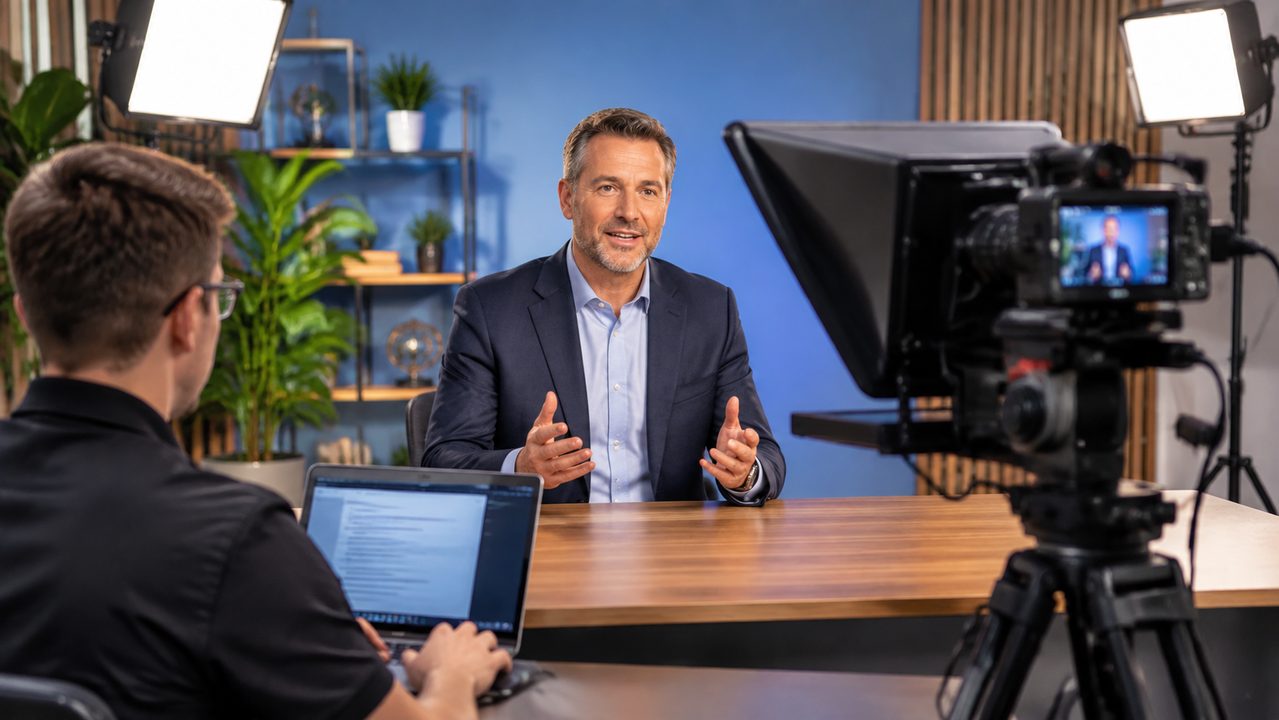
A remote teleprompter helps a CEO record an investor update video in fewer takes by putting the approved script at eye level, with an operator controlling pace from another screen, so figures, guidance, and dates come out exact while eye contact stays on the lens. Record one topic per clip, read the cleared wording, and investors can replay the update when they review the quarter.
Earnings news is unforgiving. One wrong figure or one hesitant pause can become the clip that gets shared. A 3 minute update is about 390 spoken words at a natural 130 words per minute, enough to cover results, outlook, and the 1 or 2 actions investors should note. A 2025 peer reviewed study found 150 words per minute was rated the most acceptable pace across listener groups, so aim near that range and never chase the scroll.
What should a CEO investor update video cover first?
Start with the numbers investors came for, in the same order as your written release. Revenue, margin, cash position, and guidance belong in the first minute, stated in full, with the period named out loud. Then cover what changed, what stayed on plan, and what the team is doing next. Close with the date of the next update so viewers know when to expect more.
Keep each video to one job. A results summary, a guidance change, and a leadership announcement are 3 separate clips, not 1 long recording. Short, named videos are easier for investor relations teams to share, caption, and resend. With Prompter Share, the reader side needs no account and nothing to install. One link opens on a phone, tablet, or TV, while the operator controls the script from the desk.
How do you keep earnings figures exact on camera?
Write the script from the approved release, not from memory or a slide deck. Keep every figure and date in the same order as the filing, and say the quarter and the comparison period at the start of each section. Short sentences leave less room for a slipped digit. If a line is legally cleared and must not be improvised, read it plainly and slowly, word for word.
Mark the lines that carry weight. Put a cue marker before each headline figure and guidance range so the reader pauses and gives it emphasis. Prompter Share Pro at $15 per month includes countdown and cue markers, a reading line, and phone remote control, so a CEO recording solo can pause, go back a line, and restart a section without walking behind the camera or breaking the setup.
What is the best remote teleprompter setup for investor updates?
The best setup separates reading from operating. The CEO reads from a viewer screen placed close to the lens, ideally on a beam splitter rig, while a comms lead runs the operator screen from across the room or from another office. That split means the person on camera never touches a keyboard, and the operator can follow the speaker instead of forcing the speaker to follow a fixed scroll.
Prompter Share is a web based remote teleprompter. The script is sent once, then its motion is described so both screens run off one shared clock, and a device that drops off Wi Fi rejoins on the right line. Multiple viewer screens stay on the same line, so a talent monitor, a client monitor, and a second camera angle all show the same place in the script. Mirroring with horizontal and vertical flip supports beam splitter rigs, and wake lock keeps a tablet awake mid take.
Speed control matters more than gear. Operator controls include pause, back, forward, speed presets down to about 0.45 lines per second, keyboard shortcuts, and a settable count in. Set the pace in rehearsal. Rehearsing alone is free, because only time with a viewer connected and the script moving counts toward the free plan and its 2 minutes of remote prompting per session. The free plan also includes 1 viewer screen, 3 saved scripts, mirroring, wake lock, and fullscreen, with unlimited restarts.
How should a comms team run recording day?
Use the same routine every quarter. First, lock the script after legal and finance review, and import the final version with .txt and .docx import on Pro. Second, run a 20 second test clip to check framing, lighting, and room noise. Third, record the full update in sections, using cue markers at each topic change. Fourth, review the take against the written release before anyone leaves, checking every figure out loud.
- Keep most investor clips under 4 minutes, with one topic per video
- Say every figure, date, and guidance range in full, including the period
- Place the viewer screen as close to the lens as the rig allows
- Keep approved scripts in folders with full text search, named by quarter
Batch the supporting clips on the same day. While the set and lighting are up, record the short versions for social channels and the internal all hands cut. Pro includes unlimited scripts in folders and unlimited viewer screens, so the same session can serve investors, press, and staff without rebuilding the setup for each audience.
Frequently asked questions
Does the CEO need an account or an app to read the script?
No. The talent side needs no account and nothing to install. One link opens the viewer on a phone, tablet, or TV, which keeps the on camera setup simple even when the operator is in another room or another city.
How much does Prompter Share Pro cost?
Pro is $15 per month and adds unlimited prompting time, unlimited scripts in folders, unlimited viewer screens, phone remote control, countdown and cue markers, and a reading line. The free plan covers short tests with 2 minutes of remote prompting per session, 1 viewer screen, and 3 saved scripts.
What happens if a viewer screen loses Wi Fi mid take?
It rejoins on the right line. Because the script is sent once and its motion runs off one shared clock, a reconnecting device lands where the script actually is, not where it left off, so the take can continue without a manual search.
Add Prompter Share as a preferred source on Google (opens in a new tab)