How Far Should Your Teleprompter Be? The Distance and Placement Guide for Natural Eye Contact
Eye contact is geometry, not distance. A studio technical director's guide to teleprompter placement: the three-degree rule, text-to-lens proximity, font scaling, and multi-cam sync.
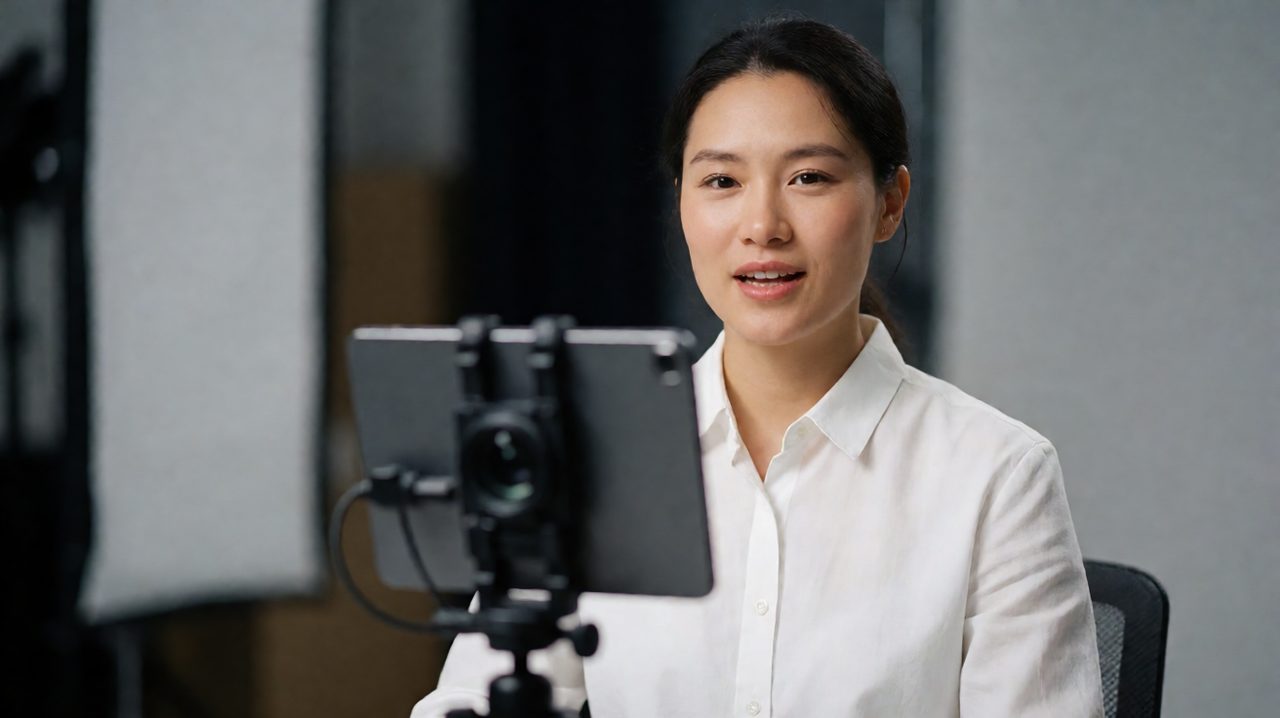
Every shoot, someone asks the same question: how far should the talent be from the teleprompter? Talent wants a number. Directors want a number. Producers want a number they can mark on the floor with tape. The honest answer is that the number changes with the room, the screen, and the lens. The principle behind it never changes. Eye contact is not about distance. It is about angle.
The three-degree rule
Viewers never measure distance. They measure deviation. When talent reads, the eyes move between the text and the lens. From the camera's point of view, that movement is an angle. Keep the angle small and the audience reads it as direct eye contact. The working rule on professional sets: under about three degrees of gaze offset, nobody can tell the talent is reading. Over that, the eyes drift and the connection breaks.
This is why the same teleprompter rig can look perfect in one setup and amateur in another. Move the text two feet from the lens and the angle blows out. Tuck the text against the lens and the eyes stay locked, even with the talent across the room. Distance between talent and camera barely matters. Distance between text and lens matters enormously.
Rule one: text goes as close to the lens as physics allows
The text should live as close to the optical axis of the lens as you can physically manage. A beam-splitter rig is the gold standard for exactly this reason. The talent reads a reflection on glass while the camera shoots straight through it. The text sits directly over the lens, the angle is effectively zero, and the talent can hold a true lens stare all day.
No beam-splitter? A phone or tablet mounted directly under the lens gets the job done. Within a few centimetres of the glass, the gaze angle drops under two degrees, which every viewer reads as eye contact. The classic mistake is setting the phone on a stand off to the side, two feet from the camera, then wondering why the talent looks shifty. Under the lens, not beside it.
Rule two: scale the text, not the talent
Once the text hugs the lens, talent-to-camera distance is set by one thing: how far away the talent can still read comfortably. For a seated or standing talking-head, that usually lands between one and one and a half metres. If the talent cannot read the text, do not move the talent closer. Make the text bigger.
Moving talent closer to squint at small text ruins everything else: framing gets tight, depth of field gets unforgiving, lighting ratios shift, and the performance stiffens because the talent is thinking about their eyes instead of the words. A reliable starting point is about twenty points of font size per metre of distance. Talent at one and a half metres wants roughly thirty-point type. Have the talent read a full paragraph while you watch the monitor, and keep bumping the size until reading looks effortless.
The solo YouTuber setup
Solo creators do not need studio hardware. You need a phone, a mount, and discipline. Clamp the phone directly below the lens, as tight to the glass as the mount allows. Set your framing, mark your chair position, and resist the urge to lean in toward the text. Two app-level details make or break this setup. First, use wake-lock or the phone sleeps mid-take, always on the best one. Second, turn on line markers so you track your place at a glance without scanning the whole screen. Scanning makes eyes sweep, and sweeping makes viewers suspicious.
The studio setup
On a beam-splitter rig, the glass must sit so the reflected text lands squarely over the lens, not high, low, or off to one side. Sight through the lens at setup and confirm the text is centered on the optical axis. Keep the hood light-tight. Any leak turns the glass into a mirror for your key light, and the talent ends up reading a reflection of a softbox. Mirror mode matters here: the talent reads a reflection, so the text must be flipped horizontally. Flip it, read a line out loud, confirm it reads correctly, then lock it.
Multi-camera shoots
Multi-cam adds one constraint: every talent screen must show the same line at the same time. If one screen lags, the talent's eyes jump between screens trying to find the place, and that jump reads as uncertainty. When the script lives in the cloud and every screen pulls the same feed, there is zero lag across talent screens. One operator runs the scroll from a phone on the floor, and every monitor in the room stays in sync without anyone touching the talent's rig. Give the scroll operator a confidence monitor too, so they see exactly what the talent sees plus a beat of what is coming next.
The floor-tape method
The unglamorous secret of every studio that nails eye contact: they write the numbers down. Once a placement works, mark the talent and camera positions with tape, measure the lens-to-talent distance and the text-to-lens offset, and log the font size. Next session, you rebuild the whole geometry in five minutes. Then record a thirty-second test and watch it back at full screen, the way the audience will see it. If the gaze wanders, the fix is almost always one of three things, in this order: the text is too far from the lens, the font is too small, or the scroll speed is making the talent chase the words.
Teleprompter placement looks like black magic until you know the geometry, then it is just a checklist. Text against the lens, talent at a comfortable reading distance, font scaled to match, scroll run by someone who can see what the talent sees. Get those four right and the prompter disappears, which is the whole point. If you want a rig that handles the cloud side of this for you, phone remote control, beam-splitter mirror mode, wake-lock, and line markers in one place, Prompter Share was built for exactly this workflow. Mark your tape, set your font, and go make eye contact with ten thousand people at once.