Teleprompter Focal Length and Vignetting: The DP Guide to Lens Selection and Glass Coverage
Master camera focal length calculation, beam-splitter glass coverage, and hood geometry. Learn how to prevent optical vignetting, eliminate barrel clipping, and pair wide lenses with remote teleprompter rigs.
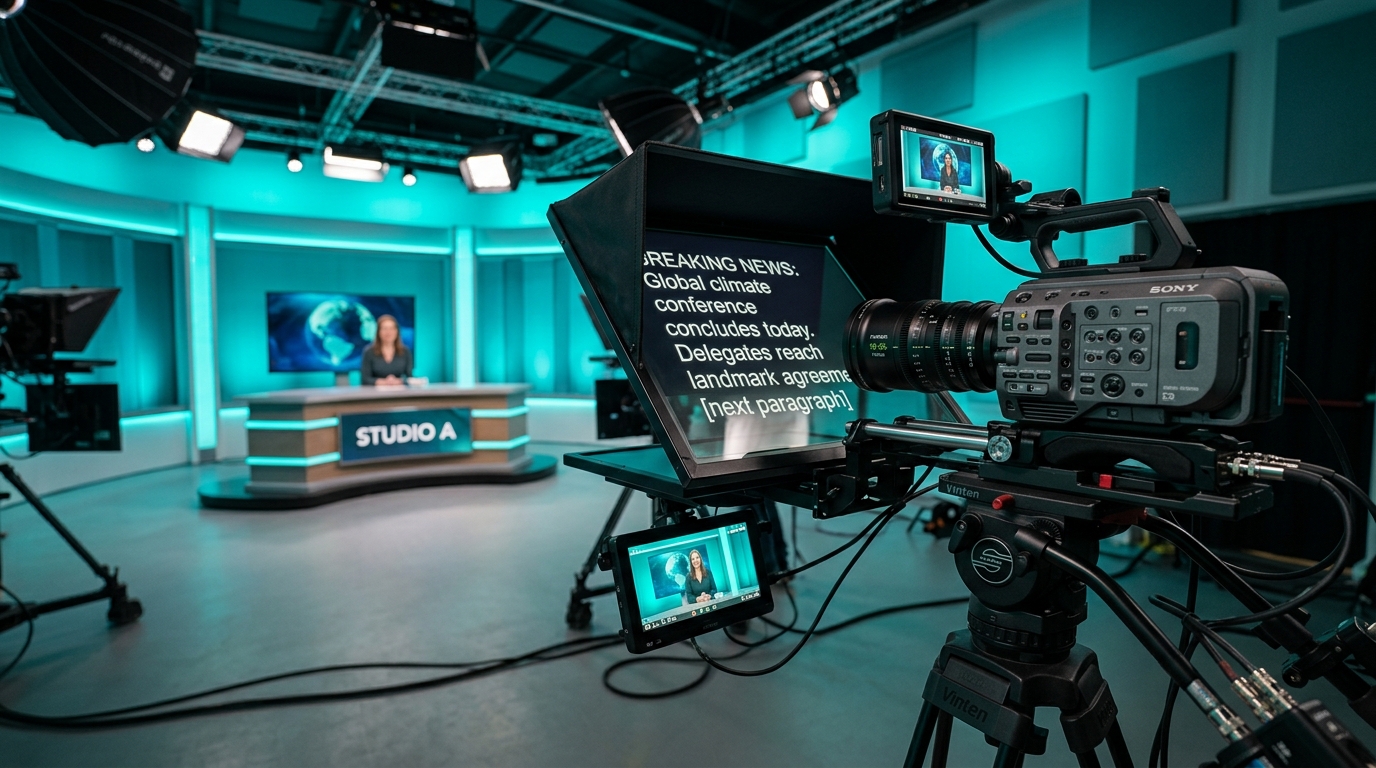
Mounting a camera behind 45-degree beam-splitter glass introduces strict optical physics to your framing. A prime lens that renders beautifully on an open studio gimbal can suddenly vignette, showing the dark metal bevel of the prompter hood or clipping the glass retaining brackets as soon as you slide the camera onto the baseplate. In commercial video, internal corporate productions, and studio broadcasts, mechanical vignetting ruins takes and forces hasty, unflattering reframing that compromises your visual plan.
Understanding teleprompter focal length limits, sensor crop factors, and the geometric depth of beam-splitter glass allows directors of photography and video producers to maintain pristine frame boundaries. When paired with responsive prompting software that stays out of the camera department's way, your studio workflow runs smoothly from lens check to final wrap.
The Geometry Behind Beam-Splitter Vignetting
Teleprompter vignetting is rarely optical falloff caused by wide open lens elements. In almost every studio scenario, it is physical cut-off caused by the camera seeing past the usable aperture of the glass or clipping the interior perimeter of the hood. A standard prompter positions a trapezoidal or rectangular sheet of 70/30 beam-splitter glass at an exact 45-degree angle directly in front of the lens barrel.
Because the glass is angled, the optical distance from the lens front element to the top of the glass is significantly shorter than the distance to the bottom. This angled tunnel creates an asymmetric cone of vision. If your field of view is even two degrees too wide for the glass housing, the corners of your frame will catch the matte black edges of the teleprompter frame, creating clipped corners or soft shadowing.
Sensor Dimensions and Focal Length Thresholds
The minimum safe focal length depends entirely on the physical size of your teleprompter glass and the dimensions of your camera sensor. A lens focal length has no universal field of view without taking sensor format into account:
- Full Frame (36x24mm): On a standard 10-inch to 12-inch compact field teleprompter, the absolute widest safe focal length typically hovers between 35mm and 40mm. Pushing wider to 24mm or 28mm causes severe corner clipping unless you step up to an oversized 17-inch or 20-inch studio beam-splitter hood.
- Super 35 / APS-C (1.5x Crop): A 24mm lens on Super 35 yields roughly the same horizontal field of view as a 36mm lens on full frame, fitting comfortably within compact hoods without mechanical clipping.
- Micro Four Thirds (2.0x Crop): With a smaller active sensor area, focal lengths as wide as 16mm or 18mm clear compact glass housings without grazing the interior hood corners.
For talking-head interviews, executive communications, and solo presentations, operating between 50mm and 85mm on full frame sensors offers two major advantages. It guarantees zero optical vignetting across any standard beam-splitter glass, and it narrows the talent's eye-sweep angle across the text, eliminating visible reading motion.
Rig Position: Minimizing Lens-to-Glass Clearance
Physical distance between the front element of your lens and the rear surface of the beam-splitter glass is the single most common cause of avoidable vignetting. Every millimeter of air gap pushes the camera's optical entrance pupil further back into the prompter tunnel, dramatically narrowing the usable angle of view.
Slide your camera body forward on its 15mm rail baseplate until the lens barrel sits flush against the rear rubber gasket or flexible silicone donut. The front rim of the lens should rest just millimeters away from the reflective glass surface without making physical contact. Moving the front element just one inch closer to the glass often eliminates corner clipping on a 35mm lens without requiring any change in your camera position.
Once your camera rig is physically locked and optically clear, software execution takes center stage. Using Prompter Share gives your crew zero-friction control over the production. You can open a clean viewer link on any tablet or studio monitor tucked beneath the glass, toggle instant beam-splitter mirroring with the M shortcut, and prevent screens from dimming mid-take with built-in wake lock.
Internal Zoom Barrels vs. Telescoping Mechanisms
Lens selection for prompter rigs involves more than just reading the focal length printed on the barrel. The mechanical design of your lens directly impacts your setup stability inside the hood:
- Internal Focus and Zoom: Cinema primes, high-end cinema zooms, and broadcast lenses maintain a fixed overall length. Once you seat the front barrel into the prompter light seal, the lens never shifts forward or backward during adjustments, preserving your glass clearance and light-tight seal.
- External Telescoping Zooms: Common photography zoom lenses extend physically as you adjust focal length. If you seat an external zoom at its widest setting and push toward telephoto, the front barrel can strike the delicate beam-splitter glass, damaging anti-reflective coatings. If you seat it while extended, zooming wider retracts the barrel, opening an air gap that introduces rear reflections and corner vignetting.
- Filter Thread Steps: Stacking thick screw-on filters or oversized step-up rings can catch the inner corner of smaller compact hoods. Keep your lens profile as slim as possible when nesting inside the rear gasket.
Resolving Wide-Angle Requirements in Tight Studios
Small studio spaces occasionally require wider field-of-view lenses to capture environmental context or fit within limited throw distances. If your production demands a wider perspective without cutting the prompter hood into the frame, implement these practical studio adjustments:
First, shift talent position back by two feet and extend your studio background rather than pulling the camera wider. Second, verify that your matte box donuts or internal step rings are not protruding past the hood aperture. Third, step up to a larger monitor and glass tray combination that expands the physical reflection surface area.
For solo operators and lean video teams managing both camera framing and text delivery, flexibility is crucial. With Prompter Share, operators can run scripts from a laptop at the production desk or hand off a secondary phone remote control link to talent standing at the camera. Frame-accurate clock synchronization keeps your cadence locked across every screen on set, letting your team focus entirely on clean composition and sharp takes.