Teleprompter for Home Service Contractors: Record Trust Videos Homeowners Actually Watch
Home service contractors can record owner trust videos, service explainers, and aftercare clips in fewer takes with a teleprompter, keeping exact wording and steady eye contact.
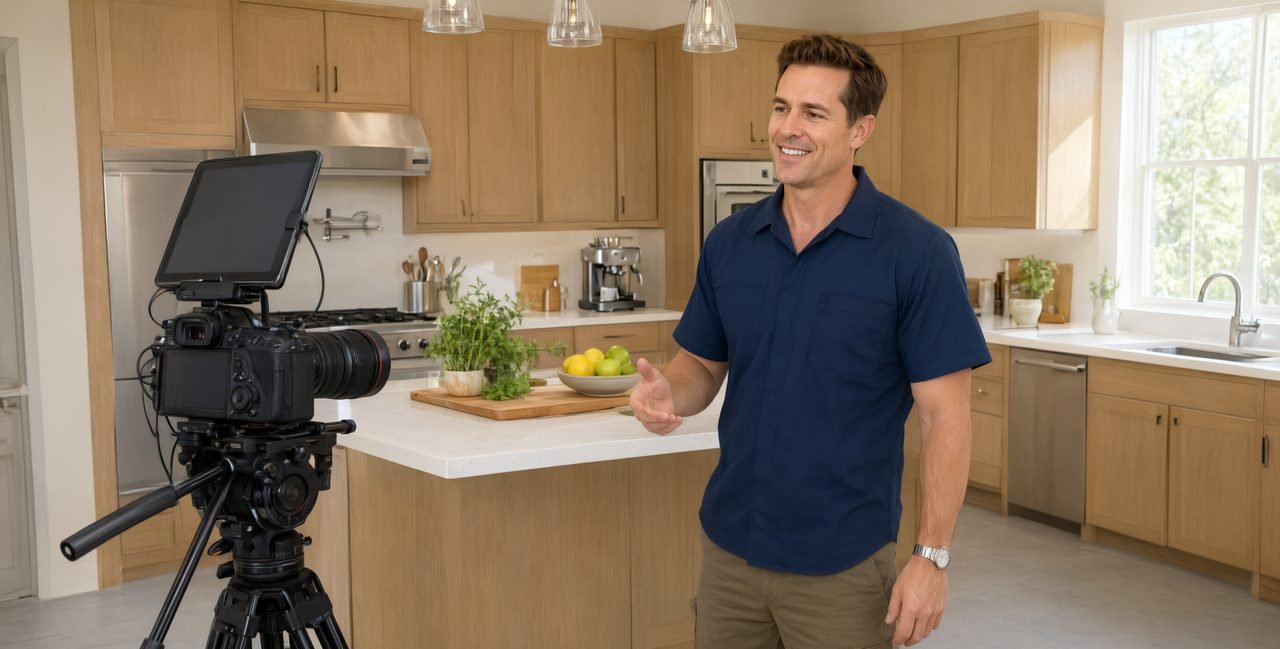
A teleprompter helps a home service contractor record a trust video in fewer takes by putting the exact script at eye level, so the owner can explain a service clearly, keep eye contact, and sound like a person a homeowner can let into their house. That is the whole point for plumbers, HVAC techs, roofers, electricians, and remodelers. Homeowners are not just buying a repair, they are choosing who shows up at their door, and a calm, clear video from the owner does that job before the first call.
The numbers explain why this matters now. Wyzowl reports that 91 percent of businesses use video as a marketing tool and 63 percent of consumers say they would most like to learn about a product or service by watching a short video. Scorpion also found that nearly half of homeowners hesitate to contact a business with no video, rising to 60 percent among homeowners under 45.
What videos should a contractor record first?
Start with the videos that answer the calls your office gets every week. Record a 45 to 60 second owner introduction that says who you are, what area you serve, and what a visit feels like. Record one service explainer at a time, such as water heater replacement, AC tune ups, drain clearing, or panel upgrades, in plain language with no promise you cannot keep. Record an aftercare clip that tells a customer what is normal after the job, what to watch for, and when to call you back.
Then add short clips for social and your Google profile. Keep each clip to one idea, most at 30 to 90 seconds, and batch 3 or 4 in one session. With Prompter Share, talent opens a single viewer link on a phone, tablet, or TV, with no account and nothing to install, so a tech in the shop and an owner on a job site can read the same script.
What is the best remote teleprompter software for a small crew?
The best fit for a small crew is one that works on devices you already own and does not need the person on camera to run it. Look for a shared link for talent, an operator screen for whoever is directing, and controls to pause, go back, and change speed mid take. Prompter Share is built that way. The script is sent once, both screens run off one shared clock, and a device that drops off Wi Fi rejoins on the right line. Multiple viewer screens can stay on the same line.
Set the scroll slower than your normal talking pace, then adjust it. Prompter Share speed presets go down to about 0.45 lines per second, and the operator can pause when you want to stress a price limit or warranty term. Place the device close to the lens, narrow the text column if your eyes sweep side to side, and record a 15 second test first.
How do you keep pricing and warranty wording accurate?
Accuracy is where a teleprompter earns its keep. Use the reviewed wording from your estimates and warranty sheet instead of improvising. Have one person check each script for three things: no guaranteed outcome, no price that changes by diagnosis, and clear next steps. Keep a dated copy, so you know which videos to update when terms change.
Read warranty and safety lines exactly as written, every take, and do not ad lib around them.
A simple batch session between jobs
Block 30 minutes at the start or end of a day. Set the phone or tablet by the camera, turn on wake lock so the screen stays awake, and check light and sound. Do one practice read and fix any line that sounds like an ad. Then record each video twice, once at normal pace and once slower. Finish with your call to action, how to book, what areas you serve, and what to have ready.
Keep the set real. Film in a clean shop or a finished job, with no customer paperwork visible. Wear the uniform customers will see at the door. If you use a beam splitter rig, use mirroring so the text reads correctly through the glass. On the free plan, mirroring and wake lock are included, with 2 minutes of remote prompting per session, counting only time with a viewer connected and the script moving. Rehearsing alone is free.
Common mistakes that make contractor videos feel scripted
The first mistake is writing for the eye. Long sentences look fine in a brochure and sound stiff out loud. The second is chasing the scroll, you control it, so pause to make a point. The third is covering five services in one video. Answer one question well, then make the next video. The fourth is hiding the owner. Put the owner or lead tech on camera, even for 30 seconds, instead of only filming trucks and tools.
How much does Prompter Share Pro cost?
Pro is $15 per month. It includes unlimited prompting time, unlimited scripts in folders, unlimited viewer screens, a phone remote, countdown and cue markers, a reading line, and .txt and .docx import. The free plan is $0, with 3 saved scripts, one viewer screen, mirroring, wake lock, and fullscreen.
Can a tech record without the owner in the room?
Yes. An operator can run the script from the office or another room while a tech reads on camera at the shop or on site. The tech needs no account and nothing to install, just the viewer link, which makes it easy to record around a busy schedule.
How long should a contractor trust video be?
Keep most trust and explainer videos at 45 to 90 seconds, which is about 100 to 200 spoken words at a calm pace. Go shorter for social tips and booking reminders, and only go longer when a job needs clear steps, safety notes, and aftercare in one place. If you want homeowners to meet you before you knock, try Prompter Share on your next batch session and record the owner introduction first.
Add Prompter Share as a preferred source on Google (opens in a new tab)