Teleprompter Monitor Size and Reading Distance: The DP Guide to Studio Rig Geometry
Master teleprompter screen sizing and reading distance calculations. Learn how to balance monitor dimensions, 70/30 beam-splitter glass coverage, optical focal lengths, and remote browser-driven prompting across solo rigs and commercial soundstages.
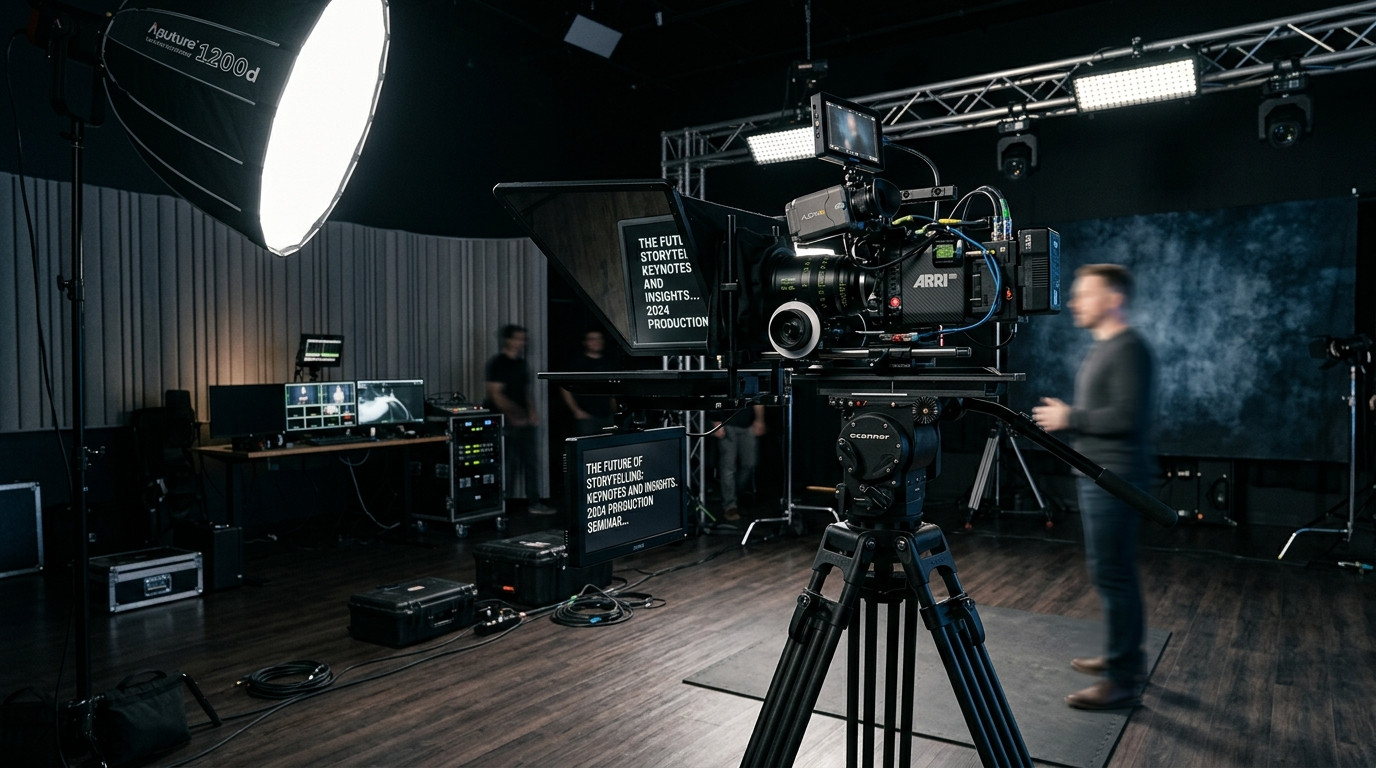
The Optical Physics of Teleprompter Sizing
Choosing the correct display size for a teleprompter is not simply a matter of buying the biggest screen you can mount to your tripod. In broadcast and commercial production, teleprompter monitor sizing is a strict calculation dictated by reading distance, optical focal length, and beam-splitter glass dimensions. When a monitor is too small for the talent distance, the presenter squints, strains, and loses natural conversational cadence. When a monitor is excessively large or placed too close, talent eyes visibly sweep across the glass from left to right, immediately breaking the illusion of direct eye contact.
Understanding the optical geometry between your talent, your glass, and your display screen ensures your production runs smoothly without costly rigging adjustments during call time. By pairing calculated screen dimensions with modern remote software, directors and cinematographers can maintain absolute control over the frame while keeping presenters relaxed and engaged.
The Production Rule of Thumb: Inches to Feet
In standard studio environments, cinematographers rely on a proven optical baseline: one inch of monitor diagonal equals approximately one foot of comfortable reading distance. While individual visual acuity varies, this ratio provides a reliable starting point for camera operators and studio technicians.
- Smartphone Rigs (5 to 7 inches): Calibrated for ultra-compact field kits, mobile journalism, and desktop webcams where the talent sits between 2 and 4 feet from the lens.
- Compact Tablets (10 to 11 inches): Ideal for solo creators, YouTube studio desks, and executive interview setups where talent is positioned 6 to 10 feet from the camera package.
- Full-Size Tablets and Production Displays (12.9 to 15 inches): The standard commercial sweet spot, accommodating seated or standing talent reading comfortably between 10 and 15 feet away.
- Broadcast Studio Monitors (17 to 22 inches): Dedicated high-bright monitors built for large soundstages, commercial stages, and multi-camera newsrooms where talent stands 16 to 22 feet back from the optical pedestal.
Exceeding these distance baselines forces your team into unnecessary optical compromises. If you place a 10-inch iPad 16 feet away from an executive, increasing font size inside the software reduces the visible text window down to just two or three words per line. This turns smooth sentence pacing into a choppy, staccato delivery.
The Danger of Oversizing: Horizontal Tracking and Eye Sweep
A common error on corporate video sets is rigging an oversized 24-inch production monitor directly in front of an interview subject who sits only five feet from the lens. While large displays offer effortless legibility, they introduce a destructive visual defect known as horizontal eye sweep.
When a reader scans a wide line of text across a broad screen at close range, their pupils track back and forth along the horizontal plane. On camera, this movement is magnified exponentially, especially on tight medium close-ups shot on 50mm or 85mm lenses. The viewer immediately perceives that the presenter is reading a script rather than delivering an authentic message.
To prevent horizontal tracking when shooting with larger screens in tight spaces, production crews must digitally constrict the text margins. Rather than allowing lines of text to fill the entire horizontal width of the display, the operator should narrow the text column down to the central 40 or 50 percent of the monitor directly over the camera lens barrel. This maintains optical alignment and minimizes lateral eye movement.
Matching Monitor Dimensions to 70/30 Beam-Splitter Glass
A teleprompter rig functions through an optical beam-splitter, typically manufactured with a 70/30 optical coating. This coating allows 70 percent of incoming ambient light to pass cleanly through the glass into the camera lens, while reflecting 30 percent of the monitor illumination upward into the presenter eyes. The physical dimensions of the beam-splitter trapezoid or rectangle must match the display monitor below it.
If you place an oversized tablet under a compact 8-inch glass hood, the reflected edges of the monitor spill outside the glass boundary. Worse, the monitor frame can reflect into the camera lens or cause optical vignetting when pairing the rig with wider cinema lenses such as a 24mm or 28mm on full-frame sensors. Conversely, placing an undersized smartphone beneath an expansive 17-inch broadcast glass hood wastes physical real estate, requiring the operator to raise tripod height or physically shift the camera body to center the reflection along the optical axis.
Before mounting your camera package to 15mm or 19mm studio rods, measure the physical footprint of your display screen against the lower monitor sled of the teleprompter frame. Ensure the monitor rests parallel to the ground while the beam-splitter glass sits at a precise 45-degree angle directly ahead of the front lens element.
Eliminating Hardware Friction with Cloud-Driven Browser Prompters
Traditionally, dialing in screen dimensions required bulky hardware monitors, long HDMI tether cables, and dedicated video distribution amplifiers that cluttered the studio floor. If a director needed to swap an iPad out for a larger field monitor to accommodate a nearsighted executive, the entire cabling chain had to be rerouted.
Modern production workflows bypass this physical friction entirely by adopting cloud-driven browser architectures. With Prompter Share, operators do not need dedicated video cables or custom display drivers to feed different screen sizes. An operator can send a single viewer link to any device, whether it is an iPad mini on an ultralight travel rig or a 17-inch studio monitor on a heavy pedestal. The browser opens instantly without software installations or user accounts, adapting responsively to the native aspect ratio and resolution of whatever display the production chooses.
Because the operator drives the script from their own laptop via real-time frame-accurate clock synchronization, text formatting changes are instantaneous. If talent steps back two feet to accommodate a wider two-shot framing, the operator can bump text size, widen line spacing, or narrow column margins in real time without pausing the take or rebooting local apps.
Calibrating Focal Lengths and Talent Distance
Your choice of cinema glass directly impacts how monitor size feels to talent on set. Wide focal lengths (such as 20mm or 24mm on full-frame cameras) require the camera to be positioned closer to the presenter to achieve a standard medium close-up framing. This short camera-to-subject distance favors compact 10-inch or 11-inch tablets because the text naturally fills the talent field of vision without requiring wide eye excursions.
On long telephoto focal lengths (such as 70mm, 85mm, or 105mm), the camera package is pushed significantly further back in the studio. Placing the camera 15 to 20 feet away compresses facial features beautifully and provides rich background separation, but it demands a 15-inch or 17-inch high-bright teleprompter display to ensure effortless legibility. When operating at these extended distances, having integrated hardware-free mirroring is essential. Operating tools like Prompter Share allow you to flip text horizontally with a single keystroke (the M shortcut), keeping the operator screen standard while the talent reads a crisp, unreversed optical reflection through the beam-splitter glass.
Controlling the Take from Behind the Camera
On solo creator sets and small commercial shoots, the director or camera operator frequently needs to step away from the primary control desk to adjust a light, tweak lens focus, or reposition talent marks. In conventional setups, adjusting prompter speed or restarting a take required jogging back to the computer keyboard or using clumsy wired foot pedals.
Eliminating this on-set friction keeps production moving quickly. By generating a secondary phone remote control link, the operator or solo shooter can hold a smartphone in their palm right next to the tripod fluid head. With silent thumb taps, you can start the count-in, pause, jump lines, or adjust scrolling speeds between 1 and 10 while watching the presenter eyes through the camera viewfinder. Coupled with built-in screen wake lock, your talent display never dims or locks into power-save mode in the middle of a delicate narrative take.
Dialing in your monitor size and reading distance creates the invisible foundation of a professional video shoot. When the physical rig geometry aligns with clean optical reflection, your talent stops thinking about the technology in front of the lens and focuses entirely on delivering an authentic, authoritative performance. To streamline your camera packages and drive scripts across any display in real time, launch your next studio production with Prompter Share.