Teleprompter for News Anchors and Live Broadcast: Staying Accurate When the Script Changes Mid-Show
How news anchors stay accurate on live broadcasts when scripts change mid-show, from shared-clock prompting to a pre-show failure plan.
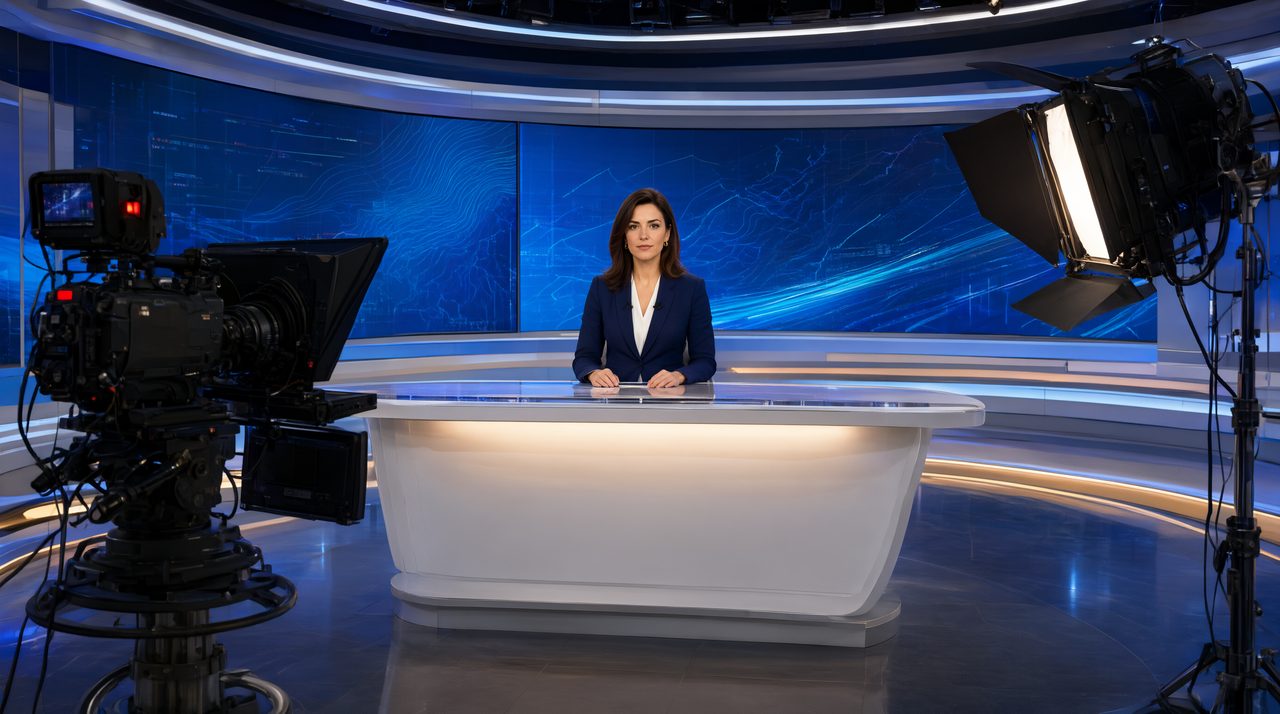
A news anchor stays accurate on a live broadcast by reading a script the operator can update in real time, on a screen the anchor can read without looking away from the camera. When breaking news lands mid-show, the operator changes the copy, the anchor sees the new line in the same place, and the show keeps moving. That is the whole job of a broadcast teleprompter: exact wording, steady eye contact, and no panic when the rundown changes.
How does a broadcast teleprompter actually work?
The script sits on a display that reflects off angled glass in front of the camera lens, so the anchor reads the words while looking straight into the lens. The audience sees eye contact, not reading. Behind the scenes, an operator controls the scroll, pausing when the anchor pauses, speeding up when the anchor picks up pace, and jumping back a line when a sentence needs repeating.
With a cloud prompter such as Prompter Share, the operator runs the script from one screen and the anchor reads it on any device through a single shareable link. Talent needs no account and nothing to install, which matters when a guest anchor or a reporter in another studio must go live with ten minutes of notice. The script is sent once, then its motion is described so both screens run off one shared clock, and a device that drops off Wi-Fi rejoins on the right line.
What happens when the script changes during a live show?
Live broadcast differs from a recorded video. In a recorded shoot, a script change means a new take. On air, it means the anchor must keep talking while the words in front of them change. The best newsrooms plan for this before the show starts. The operator keeps the rundown order visible, marks every breaking-news insert with a clear cue marker, and never rewrites a line the anchor is already reading.
The practical rule is simple: change the next paragraph, not the current sentence. If the anchor is halfway through a story, let them finish it. Prepare the updated copy in the following block, flag it with a marker, and give the anchor a beat to register the change during a natural pause, a video clip, or a handoff. Rushing a rewrite into the line currently on screen is how anchors stumble or read a figure that was just corrected.
How do you keep every screen on the same line?
A broadcast set rarely has one screen. The anchor has a prompter, the director has a monitor, and a second camera may carry its own display. If those screens drift apart, the anchor reads one line while the director expects another. Multiple viewer screens should stay on the same line, which is why a shared-clock approach beats handing each screen its own copy and hoping they scroll together. Before air, scroll through the first two stories and confirm each display shows the same line at the same time, check brightness against studio lighting, and confirm wake lock is on so no tablet goes dark mid-bulletin.
What should an anchor do when the prompter fails?
Every anchor needs a failure plan, because every system fails eventually. If the screen freezes, keep talking from memory for a few seconds while the operator restarts the scroll. If the screen goes dark, turn to the co-anchor, throw to a video package, or read from printed backup copy. The worst response is silence while everyone waits for the technology to recover. Rehearse the failure, not just the success, and practise handoff lines that buy the operator the 30 seconds needed to fix the problem.
How fast should a news script scroll?
Most conversational delivery lands between 140 and 150 words per minute, while technical or legal copy should run slower, closer to 100 to 130 words per minute, so names and figures land clearly. Write broadcast copy in short sentences of 15 words or fewer where you can, because long sentences force the anchor to read ahead and rush the end of the line. Use line markers for each story, video cue, and handoff, so the operator has fixed points to jump to when the rundown changes.
A pre-show checklist for live broadcast prompting
- Confirm the final script is loaded in one place, with cue markers on every story, video package, and handoff.
- Sync every viewer screen and confirm they show the same line at the same time.
- Set wake lock on every tablet, check brightness, and set a count-in so the anchor knows exactly when to start.
- Agree on the change rule: update the next paragraph, never the sentence currently on screen.
- Rehearse one freeze and one handoff, and keep printed backup copy within reach for the top three stories.
Prompter Share fits this workflow because it is built around a shared, real-time script rather than a file each person scrolls alone. The free plan covers 2 minutes of remote prompting per session, with only time with a viewer connected and the script moving counting toward that limit, plus one viewer screen, 3 saved scripts, mirroring, wake lock, and fullscreen. Pro, at $15 per month, adds unlimited prompting time, unlimited scripts in folders, unlimited viewer screens, phone remote control, countdown and cue markers, a reading line, and .txt and .docx import.
Speed control matters on a live show too. Prompter Share offers speed presets down to about 0.45 lines per second, plus pause, back, forward, and keyboard shortcuts, so the operator can slow the scroll when an anchor ad-libs around a developing story. When the next bulletin needs to look as polished as a full studio production, a team like Envy Creative can help shape the video around the same disciplined prompting workflow. Start with the checklist above, keep one operator in charge of the scroll, and try it on your next bulletin at promptershare.com.
Frequently asked questions
Can an anchor read a teleprompter and still sound natural?
Yes, when the script is written for speaking, not for reading. Short sentences, contractions, and marked pauses help the anchor sound conversational.
What is the best backup if the prompter fails live?
Printed copy of the top stories, a co-anchor handoff, or a throw to a video package. Rehearse it once, and the audience will barely notice.
Do guests and substitute anchors need an account?
No. With Prompter Share, talent opens one shareable link on a phone, tablet, or TV, with no account and nothing to install.
Add Prompter Share as a preferred source on Google (opens in a new tab)