The Director Guide to Teleprompter Pacing: Script Markers, Breath Beats, and Phonetic Cues
Master teleprompter script formatting and operator pacing techniques. Learn how to embed breath pauses, phonetic guides, and visual emphasis markers to help talent deliver conversational on-camera takes without sounding robotic.
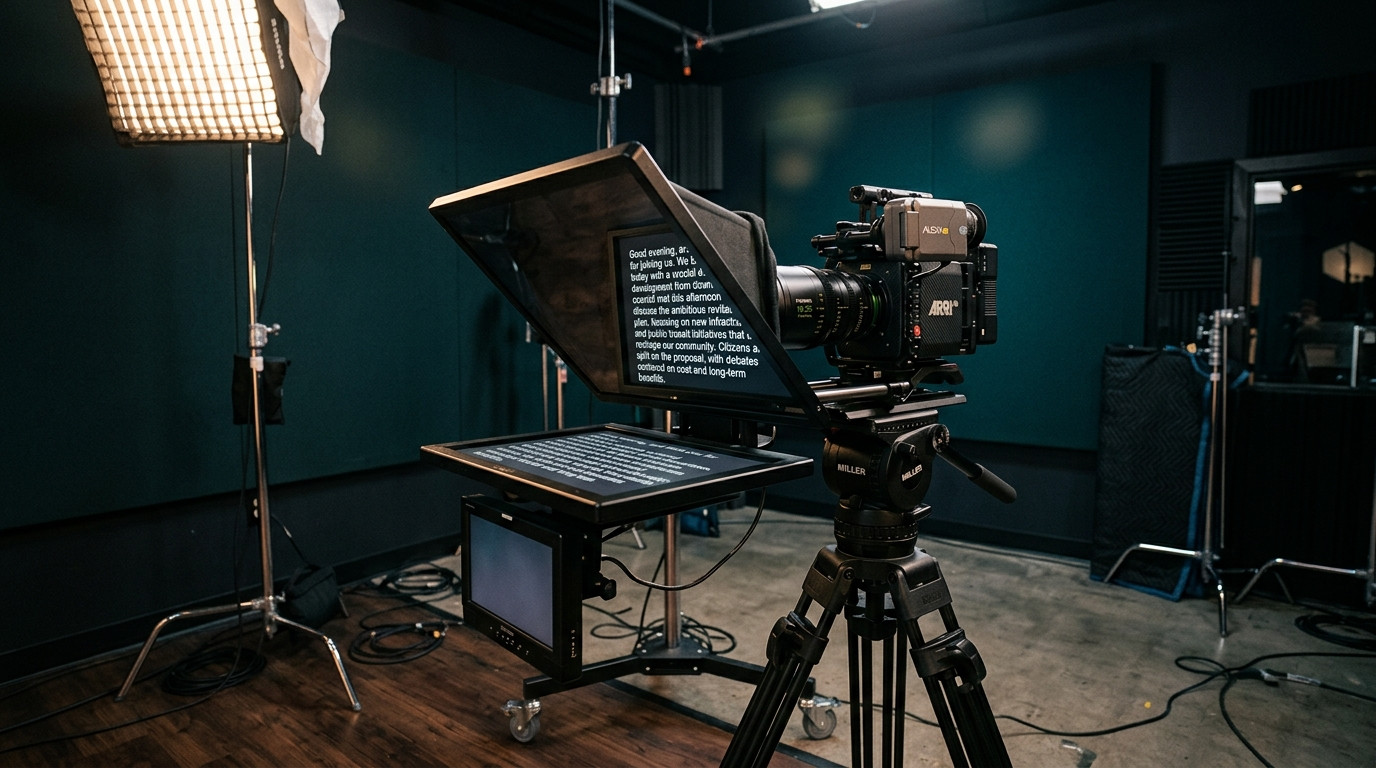
When an on-camera presenter sounds stiff, robotic, or rushed, production crews frequently blame the talent. In reality, the issue usually stems from the text on the glass. A script formatted for a printed page forces talent to process complex grammar, decipher numerical data, and hunt for breathing points while maintaining eye contact with the lens. To capture confident, natural takes, directors and video producers must format teleprompter scripts specifically for speech, using deliberate visual markers, breath beats, and real-time operator pacing.
The Core Difference Between Reading and Speaking
The human brain reads written prose in chunks, scanning ahead to anticipate context. When reading aloud to a camera, that predictive mechanism breaks down if sentences run too long or lack acoustic rhythm. If talent has to read twenty words before taking a breath, their pitch rises, their chest tenses, and their delivery turns into a monotone sprint to the next period.
A production-ready teleprompter script translates spoken cadence into typography. You are not handing talent literature. You are giving them visual signposts that control lung capacity, inflections, and pacing. Professional studio teams, including commercial crews coordinating fast shoots like those produced with Envy Creative, rely on standardized script formatting so presenters can absorb thought units at a single glance without glancing back and forth across the glass.
How to Format Visual Breath Beats and Micro-Pauses
Punctuation on a teleprompter does not follow standard editorial style manuals. Commas and semicolons are tiny glyphs that talent easily misses when scrolling through 45-degree beam-splitter glass. Instead, use explicit visual spacing to indicate natural breathing points.
- Double Hard Returns Between Thoughts: Group words into bite-sized spoken phrases of three to seven words. Break every complete thought onto its own line so the talent never has to track across a wide horizontal margin.
- Visual Ellipses for Breath Beats: Use spaced ellipses or slash marks to signify a half-beat pause where the presenter should inhale or let a key statement land.
- Capitalized Words for Punch: When a specific noun or verb carries the weight of a sentence, capitalize the entire word. Do not overuse capitalization, or the script turns into visual noise. Select one anchor word per sentence to cue vocal inflection.
- Bracketed Stage Directions: Keep performance cues distinct from spoken words. Use uppercase text inside square brackets, such as [SMILE], [PAUSE FOR GRAPHIC], or [TAKE A BREATH], so the presenter instantly distinguishes directions from lines to speak.
Phonetic Spelling and Numerical Clarity on Glass
Nothing kills take momentum faster than talent stumbling over a brand name, an executive title, or an unfamiliar acronym. The teleprompter screen is not the place for legal corporate spelling. It is the place for pure acoustic clarity.
Spell out acronyms phonetically whenever they need to be spoken as full words. Write NASA as NASA, but write URL as U-R-L. For complex medical terms, geographical locations, or proper names, provide the phonetic pronunciation directly in the text line before the take begins. For example, write Joaquin Phoenix as wah-KEEN FEE-niks. Similarly, translate all numbers into spoken words. A number like $1.4M should never appear as symbols on the prompter. Format it as one point four million dollars. When dates appear, write October twenty-second instead of 10/22. These subtle adjustments eliminate micro-hesitations where talent furrows their brow on camera while calculating digits in their head.
Operator Pacing and Real-Time Variable Scrolling
Even a perfectly formatted script fails if the scroll speed does not adapt dynamically to the speaker. Automated timers and auto-scroll algorithms inevitably drift. If the prompter moves too fast, the presenter looks frantic. If it moves too slow, talent drags their cadence to match the words, producing an unnatural, robotic delivery.
The operator must follow the talent, never lead them. An experienced prompter operator keeps the active spoken line resting comfortably across the upper-middle third of the display. When the talent pauses for emphasis, the operator stops the scroll. When the talent accelerates into an energetic point, the operator smoothly throttles up. Using Prompter Share, operators can control scrolling speed remotely with frame-accurate clock synchronization, ensuring zero latency between the operator desk and the talent monitor across the studio or over remote links.
Directing Talent: Using Phone Remote Controls on Set
On small studio sets or solo creator shoots, having a dedicated prompter technician seated at a distant computer is not always feasible. If the director or solo presenter stands next to the camera, walking back to a desk to adjust the script slows down the entire production day.
Modern production workflows solve this friction through mobile remote control links. With Prompter Share, you can launch a secondary remote link on any smartphone. The director standing next to the lens, or the solo host behind the desk, can start, pause, jump lines, and tweak speed using simple thumb gestures on their phone without opening software menus. For beam-splitter rigs, the built-in hardware-free mirroring toggle flips text instantly for 45-degree optical glass, while keeping the operator controller completely standard.
Rehearsing the Cold Read: The Two-Take Rule
Never roll camera on a cold teleprompter read. Even professional broadcast talent needs an unrecorded warm-up pass to let their eyes sync with the operator and absorb the script layout.
- Pass One (Pacing Calibration): Have the talent read through the text aloud while you adjust the scroll speed to their natural speaking tempo. Note any phrases where they trip or lose breath.
- Live Edits on the Fly: Simplify awkward sentence structures immediately. In Prompter Share, you can edit words directly in the live split view without kicking talent off the screen or interrupting their viewing session.
- Pass Two (Vocal Energy): Run a rehearsal focused purely on conversational projection, eye contact, and physical body language. Once the rhythm is locked, roll recording for the official take.
By treating the teleprompter as an instrument of speech rather than a digital document viewer, directors keep their talent energized, relaxed, and connected directly to the audience through the lens.
Ready to upgrade your studio and remote shoots? Start driving professional prompter sessions from any browser with Prompter Share today.