Teleprompter Rehearsal Workflow: The DP and Producer Guide to Table Reads, Cadence Calibration, and Take-Ready Talent
Master the pre-shoot teleprompter rehearsal workflow. Learn how to conduct remote table reads, calibrate scroll speeds, adjust text breaks for breath, and prep non-actor talent before rolling camera.
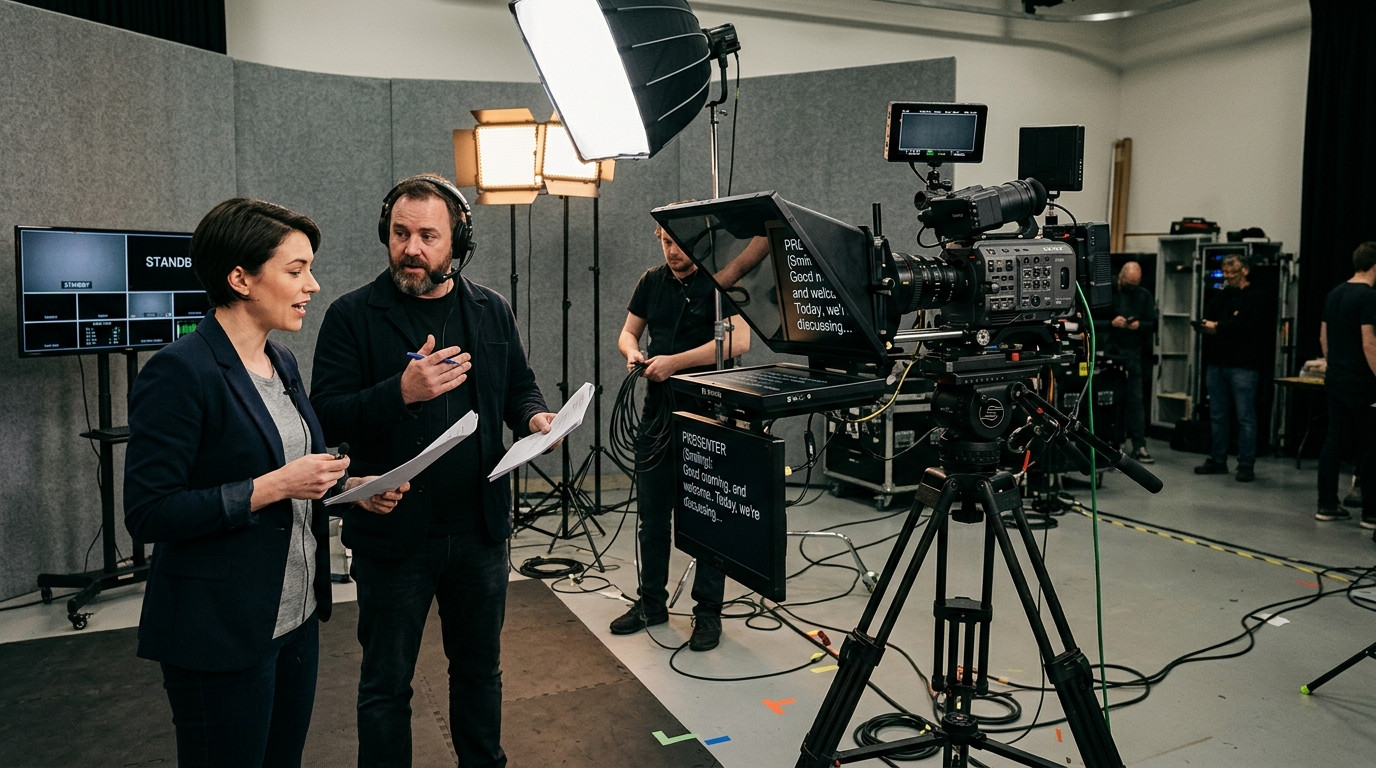
Studio time is expensive, and nothing burns production hours faster than attempting to calibrate scroll speed, script phrasing, and eyeline confidence during live takes. When talent steps onto a mark in front of a camera-mounted beam-splitter rig without a structured rehearsal, directors encounter stumbling reads, breathlessness, and rigid body language. A disciplined pre-shoot teleprompter rehearsal workflow bridges the gap between written copy and natural, conversational delivery.
The Cost of Skipping the Table Read
Scripts are traditionally drafted for silent reading, packed with corporate phrasing, complex subordinate clauses, and multi-syllable acronyms. Reading silently hides syntactic stumbling blocks that immediately trigger stutters when spoken out loud under hot key lights. Jumping directly to rolling takes forces the teleprompter operator to chase the presenter, guessing where they will pause, rush, or take a breath.
By instituting a dedicated three-tier teleprompter rehearsal workflow, directors of photography and producers lock in delivery tempo, identify awkward sentence construction, and dial in operator scroll mechanics before the crew begins burning production time.
Phase 1: The Off-Rig Conversational Table Read
Before mounting talent in front of optical glass, conduct an off-rig table read. This can take place across a production table or remotely across different cities. The objective here is not acting performance; it is auditing copy for the ear.
- Listening for Tongue-Twisters: Listen for sibilance, alliteration clusters, and dense multi-word numbers that trip the vocal chords. Replace formal clauses with natural contractions.
- Identifying Natural Breath Marks: Note where the presenter instinctively inhales. Spoken sentences should rarely exceed twelve words before a natural pause.
- Pruning Corporate Phrasing: Replace dense jargon with direct terminology that the speaker can deliver without feeling self-conscious.
Using a flexible browser setup makes this phase frictionless. With Prompter Share, operators can paste script revisions into the controller interface while talent views the updated copy instantly on an iPad or laptop screen. Changes synchronize across the shared clock without requiring app installations or account sign-ups.
Phase 2: Speed and Cadence Calibration on the Beam-Splitter
Once the script reads naturally out loud, transition talent to the primary camera setup. Position the speaker at their intended working distance, typically six to eight feet from the beam-splitter hood to minimize lateral eye movement.
The foundational rule of teleprompting is that the prompter follows the speaker, never the other way around. However, an uncalibrated presenter will instinctively speed up to keep pace with a fast-moving display, causing an unnatural, robotic delivery.
- Establish the Anchor Baseline: Set the scroll speed to a comfortable crawl, usually between speed settings 2 and 4. Have the talent read the opening three sentences at their normal conversational pace.
- Adjust the Focus Line Marker: Keep the active reading line locked in the upper third of the beam-splitter glass. Aligning the text directly behind the lens barrel preserves consistent direct eye contact.
- Dial in the Phone Remote: When the director or DP needs to step out from behind the monitor desk to coach talent directly at the tripod, launching the secondary mobile remote control link allows full playback, speed adjustments, and line resets directly from a smartphone.
Phase 3: The Mock Hot Take and Reset Rehearsal
The final phase before calling roll is running a full mock take under actual studio lighting. Presenters who have never worked with beam-splitter glass often freeze when key lights, fill fixtures, and studio tallies illuminate. Running a dry take desensitizes the speaker to the physical setup.
During this run, practice false-start recoveries. When talent stumbles during a live shoot, restarting from the very beginning wastes energy and erodes confidence. Establish a convention where the operator taps the shortcut keys to jump backward two lines or restart cleanly from the current section header. The built-in wake lock prevents tablet screens from dimming or sleeping during long rehearsal pauses, ensuring the rig is always hot and ready.
For productions driving multi-screen setups, such as off-axis client review monitors paired with an on-camera prompter, the operator can toggle hardware-free beam-splitter mirroring with a single shortcut key (M). The talent reads the inverted reflection cleanly through 45-degree optical glass while the director monitors standard orientation text on an auxiliary screen.
Eliminating On-Set Hesitation
Pre-shoot teleprompter rehearsals transform anxious non-actors into poised, authoritative presenters. Taking fifteen minutes to run an off-rig read, calibrate scroll velocity, and practice reset mechanics eliminates the anxiety of reading to camera. When production teams leverage lightweight tools like Prompter Share, zero-friction links let crews transition from initial table read to broadcast-ready takes without technical delays.