Teleprompter for SaaS Founders: Record Product Launch Videos Without Memorizing a Script
SaaS founders can record clear product launch and changelog videos in fewer takes by using a remote teleprompter, short spoken scripts, and an operator who controls the pace from another screen.
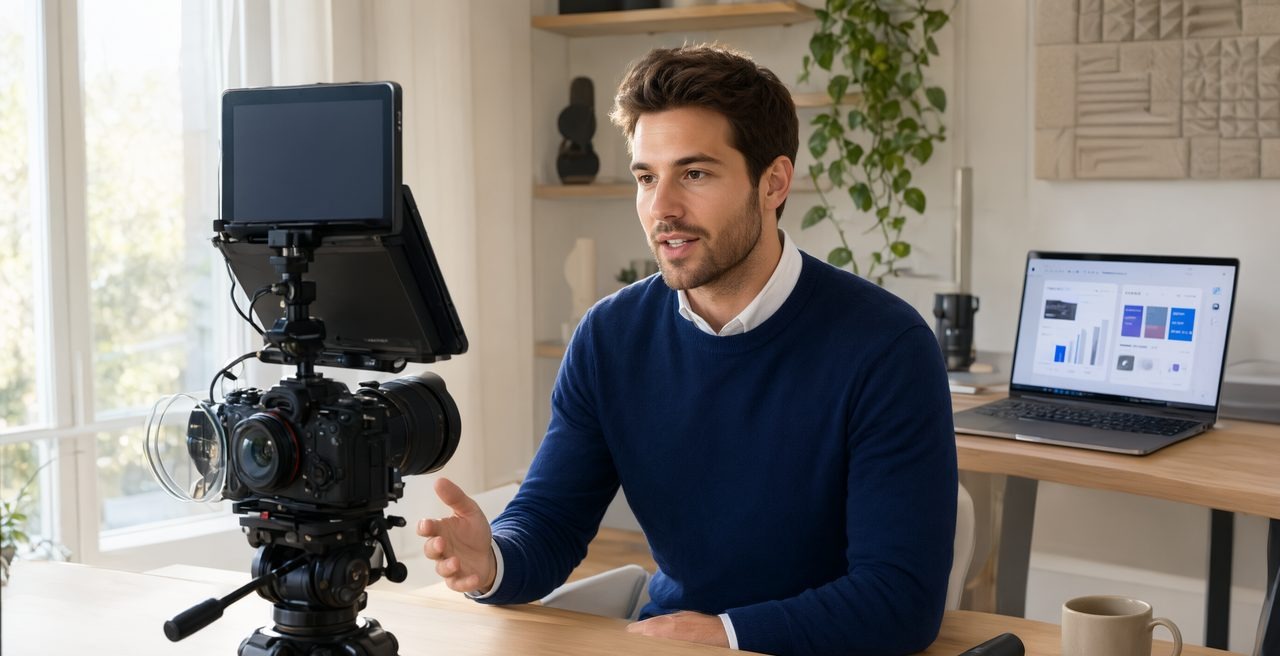
A SaaS founder can record a product launch video without memorizing a script by putting the script on a teleprompter screen in front of the camera, keeping each line short and spoken, and letting another person control the scroll from a phone or laptop. That setup protects the exact feature names and launch dates that founders most often get wrong on camera. It also turns one long, anxious take into short, repeatable sections you can record, check, and move on from.
Launch videos fail when you try to remember the announcement, show the product, and hit a call to action in the same take. A prompter removes the memory job so your attention stays on delivery.
What is the best remote teleprompter software for a launch video?
The best setup for a founder is one where talent needs no account and nothing to install. With Prompter Share, the operator runs the script from one screen, called the desk, and the person on camera reads it on any device through a single shareable link. The script is sent once, then its motion is described so both screens run off one shared clock. If a device drops off Wi-Fi, it rejoins on the right line instead of restarting the take.
That matters on launch day, when time is tight. A co-founder or assistant can pause, go back, or slow the scroll while you stay in position and keep your eyeline. On the Pro plan at $15 per month, you get unlimited prompting time, unlimited scripts in folders, unlimited viewer screens, phone remote control, countdown and cue markers, a reading line, and .txt and .docx import. The free plan is $0 and includes mirroring, wake lock, and fullscreen, with 2 minutes of remote prompting per session, where only time with a viewer connected and the script moving counts and rehearsing alone is free.
How do you write a launch script that reads well on camera?
Write the way you would explain the release to one customer. Use short sentences, one idea per line, and the exact names used inside the product. Write dates and figures the way you will say them out loud.
A useful launch script has four parts. Start with the problem in one or two lines. Name what changed and who it helps. Show one concrete workflow, not a tour of every screen. Close with one clear next step, such as starting a trial or reading the changelog. At a natural pace of about 130 to 150 words per minute, a 2 minute launch video needs roughly 260 to 300 words, and a 3 minute video needs roughly 390 to 450 words. Planning the count first stops you from cramming a blog post into a short video.
Add cue markers where to switch screens, pause for a recording, or look straight at the lens for the key claim. They give the operator a map for slowing down before a feature name.
How do I run a teleprompter for talent in another location?
Remote prompting works well when a founder records at home and a teammate runs the desk from somewhere else. Send the viewer link, do a short rehearsal with the script moving, and agree on simple signals for slower, pause, and go back one section. Keep the reading screen as close to the camera lens as possible, because a screen placed far to the side makes eye movement obvious even in a small player.
Pro supports unlimited viewer screens, so a tablet by the camera and a second view can stay on the same line, and a last minute fix at the desk reaches talent in real time.
Set the pace before you chase perfection. Operator controls include pause, back, forward, speed presets down to about 0.45 lines per second, keyboard shortcuts, and a settable count-in. Start slightly slower than feels natural, record the opening, and watch it back. Founders often rush the first 15 seconds, then settle. Adjust the preset once, rather than restarting after every small stumble.
A simple recording routine for launch day
First, lock the script and import the final version, instead of prompting from a draft that is still changing elsewhere. Second, rehearse alone for free, reading the whole script once at the planned speed. Third, record section by section, with a short pause between sections so editing is clean. Fourth, record the opening and the call to action one extra time each, because those are the parts viewers judge fastest.
Keep the set simple. Put the camera at eye height, use wake lock so a tablet does not sleep mid-take, and turn on fullscreen. If you use a beam-splitter rig, turn on mirroring so the reflected text reads correctly. Otherwise place a phone just under the lens and keep the text column narrow.
Between takes, change one thing at a time. If it sounded rushed, slow the scroll. If you lost your place, turn on the reading line. Past launch day, use folders and full-text search to keep launch, changelog, and demo scripts easy to find.
Frequently asked questions
How much does Prompter Share Pro cost?
Pro is $15 per month. It includes unlimited prompting time, unlimited scripts in folders, unlimited viewer screens, phone remote control, countdown and cue markers, a reading line, and .txt and .docx import.
Does the person on camera need an account?
No. Talent side needs no account and nothing to install. One link opens on a phone, tablet, or TV, and the operator controls the script from the desk.
Can I rehearse without using my free prompting time?
Yes. On the free plan, the 2 minutes is per session with a viewer connected and the script moving. Rehearsing alone is free, and you get unlimited restarts and one viewer screen, with 3 saved scripts.
A launch video does not need a studio or a memorized performance. It needs an accurate script, a steady pace, and a founder who can look at the camera and sound like a person. Set up the prompter, rehearse once, and record the announcement your customers actually need to hear.
Add Prompter Share as a preferred source on Google (opens in a new tab)