Teleprompter for Teachers: Record Flipped Classroom Lessons Without Memorizing
Teachers can record clear, consistent flipped classroom lessons with a browser teleprompter, short scripted segments, and a simple batch routine that makes the first take usable.
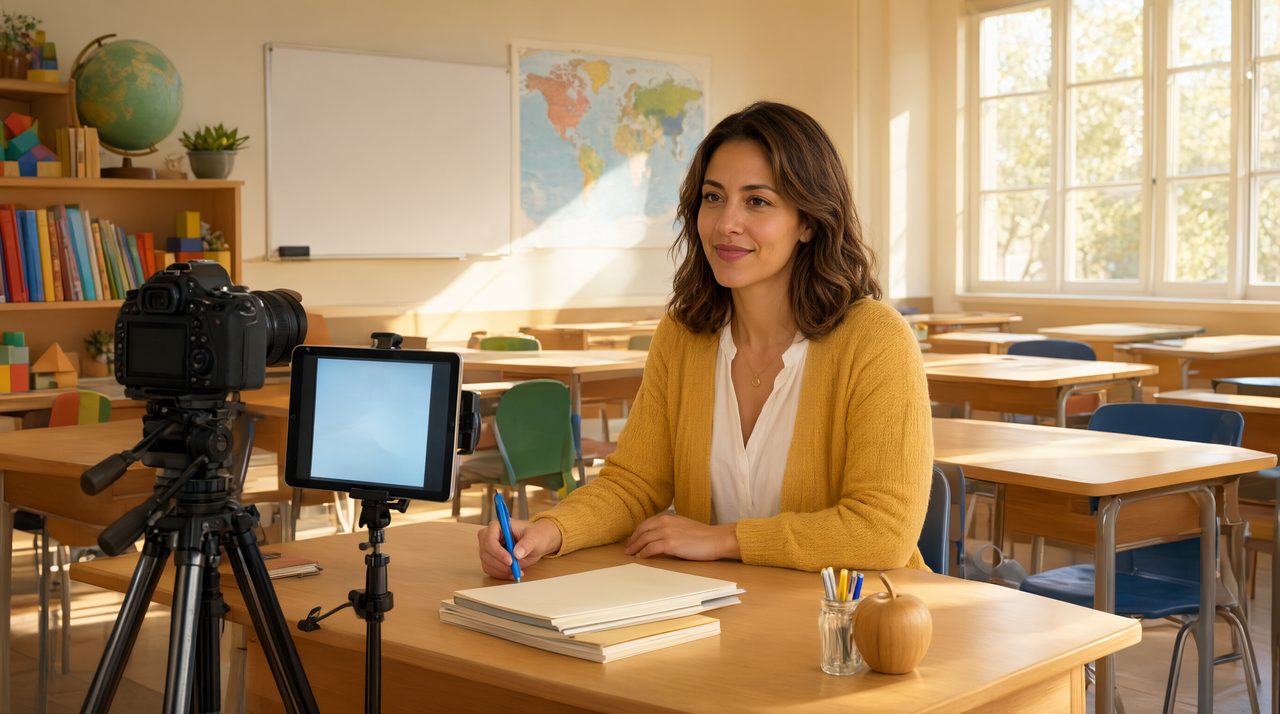
A teleprompter helps teachers record clear flipped classroom lessons without memorizing a word, because the script sits beside the lens, an operator or a phone remote keeps it moving at speaking pace, and a dropped connection rejoins on the right line. You write the lesson once, read it naturally, and students get the same accurate explanation every time they replay it.
Why do teachers use a teleprompter for flipped classroom lessons?
Class time is too valuable to spend repeating the same introduction for the fourth period in a row. Record it once and students watch before class, pause when they need to, and arrive ready to work. The numbers explain why short and scripted wins. Lessons of 6 to 12 minutes hold attention best, and a 6 minute lesson is roughly 800 to 900 spoken words. That is one focused idea, one worked example, and one check for understanding, not a whole chapter read aloud.
Without a script, most teachers record 3 or 4 takes of the same segment and still hear a missed definition in the edit. With the words in front of you, the first take is usually usable, and the wording of a key term stays identical across every section you teach. That consistency matters when 120 students will quote your explanation back on a quiz.
How do you write a lesson script students will actually follow?
Write the sentence you would say to one student sitting across the desk, then break it where you breathe. Keep these rules in front of you while you draft:
- One lesson, one outcome. If students cannot name what they can do at the end, the script is doing too much.
- Put only spoken words in the script. Slide changes and gestures go in your notes, not in the text you read.
- Slow down for formulas, vocabulary, and steps. Mark those lines so you remember to pause after them.
- Ask a question out loud, pause, then give the answer. Students follow a lesson that talks with them, not at them.
- End with the exact task students should do before the next class.
Import the finished script instead of retyping it. On Prompter Share Pro, at $15 per month, you can import .txt and .docx files, save unlimited scripts in folders, and find any lesson again with full text search. The free plan covers rehearsal well, with 3 saved scripts, mirroring, wake lock, and fullscreen, and rehearsing alone is always free because the 2 free minutes per session only count while a viewer is connected and the script is moving.
What is the best web based teleprompter for video shoots in a classroom?
The best setup is the one already in the room. Prompter Share runs in the browser, so the script opens on a tablet, a spare laptop, or the classroom TV through a single shareable link. Talent side needs no account and nothing to install, which also helps when a co teacher or a student presenter reads a segment on a device you do not manage.
Place the prompting screen as close to the lens as you can. A tablet just under the camera keeps your eyes level and stops the side to side reading look. Turn on wake lock so the tablet stays awake mid take, use fullscreen so nothing else competes for attention, and set a count in so you are settled before the first line. If you use a beam splitter rig for a more polished look, mirroring flips the text horizontally or vertically so it reads correctly in the glass.
How do you control the script while you teach alone?
Solo teachers have 3 workable options. First, set a steady speed preset, down to about 0.45 lines per second, and let the shared clock carry the script while you teach. Second, use keyboard shortcuts to pause, jump back, or move forward when a demonstration runs long. Third, on Pro, use your phone as a remote control, which keeps control in your hand even when you stand and move to a whiteboard.
Multiple viewer screens stay on the same line, so you can prompt yourself at the desk and mirror the same script to a second screen across the room for a walking segment. If Wi-Fi drops mid lesson, the device rejoins on the correct line instead of restarting the script, which saves the take instead of ruining it.
A simple batch recording routine that works
- Script 3 short lessons in one sitting, each under 900 words, and save them in one folder.
- Rehearse each one alone once, free, and fix any sentence that trips you.
- Record section by section. A mistake costs one section, not the whole lesson.
- Check the first 30 seconds for eye line, audio level, and text size before you record the rest.
- Upload, caption, and post the lessons in the order students need them.
Teachers who batch this way often turn one prep period into a week of flipped lessons. The script library becomes an asset too. Next term you update the 2 lessons that changed and re record only those, instead of starting from a blank page.
How much does teleprompter software cost for a teacher?
Prompter Share is free to start, with 2 minutes of remote prompting per session, 1 viewer screen, and 3 saved scripts. Pro is $15 per month and adds unlimited prompting time, unlimited scripts and viewer screens, the phone remote, countdown and cue markers, and the reading line. Most teachers rehearse free and only need Pro when a full unit of lessons is ready to record.
Can students use it for presentations?
Yes. Send the class link and a student opens the script on any phone, tablet, or TV with no account and no install. It works well for recorded presentations, morning announcements, and accessibility support for readers who do better with large, steady text and a clear reading line.
What if I only record on my phone?
That is enough. Open the operator screen on a laptop, send the link to your phone propped beside the camera, and control pace from the desk. Or prompt from the phone itself and record on a second device. The point of a browser prompter is that the gear you already own is the setup.
Add Prompter Share as a preferred source on Google (opens in a new tab)