Teleprompter for Trade Show Presenters: Run Booth Demos Without Losing Your Place
Trade show presenters repeat the same demo dozens of times a day while the floor gets loud and schedules slip. A shared cloud teleprompter keeps every presenter, booth screen, and stage talk on the same script and the same line.
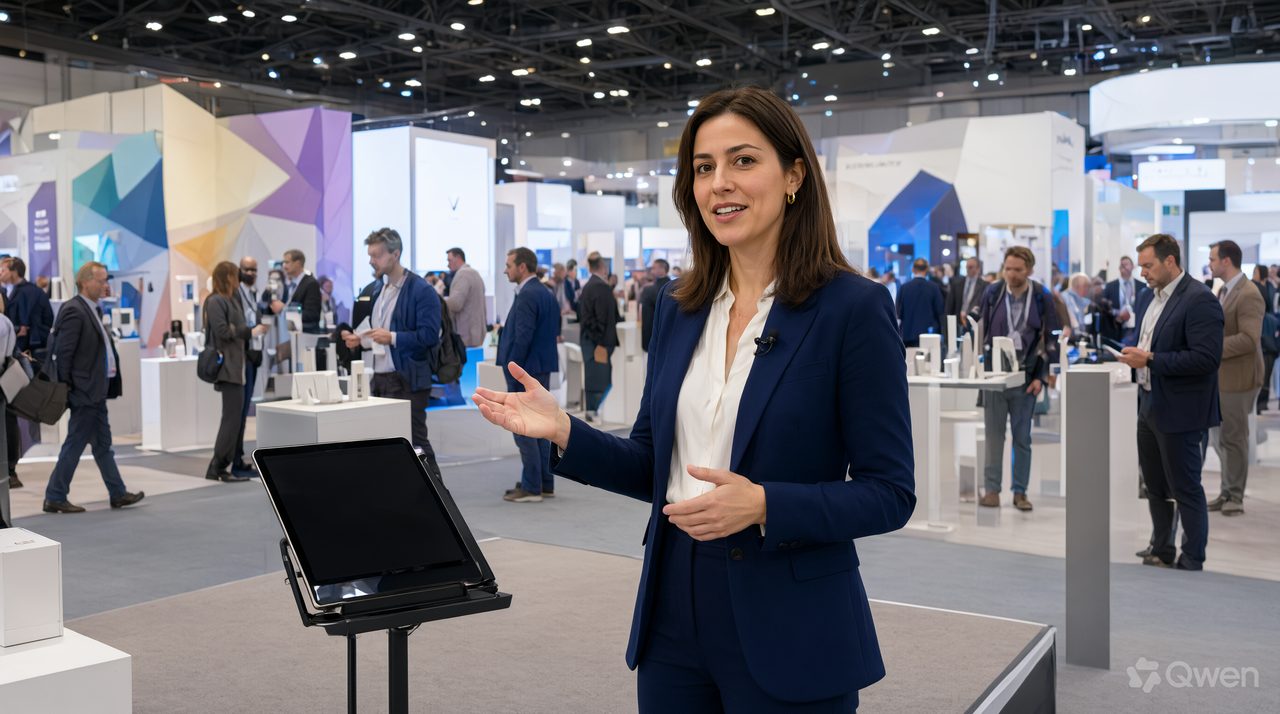
A teleprompter helps trade show presenters most when the same demo has to land the same way every time, even on hour six of a loud show floor. You set the script once, an operator runs it from one screen, and every presenter and booth display reads from the same moving text, so the key claims, prices, and calls to action stay identical across dozens of repetitions.
Attendees give a booth demo about 30 seconds before they decide to stay or walk, so a fumbled opening loses the crowd that just gathered. A prompted demo removes the memory work, so the presenter can watch faces and still pick the script back up on the right line.
Why do trade show demos fall apart by midday?
Most booth scripts fall apart for predictable reasons. The presenter has delivered the same 3 minute demo 20 or more times, fatigue flattens the delivery, and small improvisations creep in. One rep quotes an older price, another skips the compliance line legal asked for, and a third forgets the demo step that shows the product at its best. None of that is a talent problem. It is a repetition problem, and repetition is exactly what a prompter is built to absorb.
How do you set up a teleprompter for a booth demo?
Start with the screens you already own. With Prompter Share, the operator opens the script on a laptop at the desk, then shares one link. Talent side screens need no account and nothing to install, so a tablet at the demo station, a monitor behind the presenter, and a confidence screen at the stage can all open that same link and stay on the same line.
- Mount one tablet or small monitor just below or beside the main demo display, close to where attendees naturally look.
- Turn on wake lock so tablets stay awake mid take and mid demo, which the free plan already includes.
- Use a large font and short lines, because presenters read at a glance while standing, not seated at a desk.
- Put cue markers at each demo step, so the operator can jump straight to the section a visitor asks about.
- Keep a printed outline in the booth as a backup, not as the primary script.
If your booth uses a beam splitter rig for a camera facing demo, turn on mirroring. Prompter Share supports horizontal and vertical flip, so the same script can feed a direct screen and a mirrored camera setup without a second copy.
What should a repeatable booth script look like?
Write for the ear and for interruption. Open with one sentence that names the problem your product solves. Follow with 3 demo beats, each short enough to finish if a visitor joins late, and close with one clear next step, such as a scan, a signup, or a scheduled meeting. A tight 250 to 300 word script gives you roughly a 2 minute demo, long enough to prove value and short enough to repeat all day.
Mark the lines that cannot change. Prices, dates, and legal wording should read exactly as approved, every single time. That is also where a shared script beats a printed one: fix a line once at the operator desk and every screen updates, instead of reprinting handouts or hoping each presenter remembers the correction. Teams shooting polished booth video between demos often hand that footage brief to Envy Creative, and the same approved script keeps the filmed version matching the live one.
How does one operator keep multiple presenters in sync?
Trade show staffing rotates, and a shared clock solves the handoff. In Prompter Share the script is sent once, then its motion is described so both screens run off one shared clock, and a device that drops off Wi Fi rejoins on the right line instead of starting over.
The operator holds the controls that matter on a noisy floor: pause, back, forward, speed presets down to about 0.45 lines per second, keyboard shortcuts, and a settable count in. On the Pro plan at $15 per month, the operator also gets unlimited prompting time, unlimited viewer screens, a phone remote, countdown and cue markers, and a reading line, so one person can run the booth screen, the stage confidence monitor, and a second camera angle from a phone in their pocket.
Budget honestly for the free plan first. Free includes 2 minutes of remote prompting per session, and only time with a viewer connected and the script moving counts. Rehearsing alone is free, restarts are unlimited, and you get 1 viewer screen, 3 saved scripts, mirroring, wake lock, and fullscreen. That is enough to test one demo station on day one. If the test works, Pro removes the session limit before day two, when the real repetition starts.
How do you handle stage talks and panel slots at the same show?
Many exhibitors also present on a sponsored stage, where the script is longer and less forgiving. Load it as a separate script, use the count in, and place a confidence monitor where the speaker already looks. The venue AV team needs no account or install. They open the link, go fullscreen, and your operator runs the scroll.
Can 2 presenters share one script at the same time?
Yes. Multiple viewer screens can follow the same session, so a presenter at the demo station and a host at the entrance can work from the same script and the same line, with the operator adjusting pace once for both.
What happens if a booth tablet loses Wi Fi?
The device rejoins on the right line because the screens run off one shared clock. Keep the operator screen on the most reliable connection in the booth and let viewer screens reconnect as needed.
How much does it cost to prompt a full show?
The free plan covers short tests at 2 minutes of connected, moving prompting per session. Pro is $15 per month with unlimited prompting time and unlimited viewer screens, so one subscription can cover the booth, the stage talk, and the follow up webinar after the show. Start your next show script at promptershare.com and run the first demo before the floor opens.
Add Prompter Share as a preferred source on Google (opens in a new tab)