The Wireless Teleprompter Setup: How to Cut Studio Cables Without Latency or Drops
Learn how to build a rock-solid wireless teleprompter rig for studio cameras, eliminating bulky HDMI runs and trip hazards while maintaining frame-accurate sync.
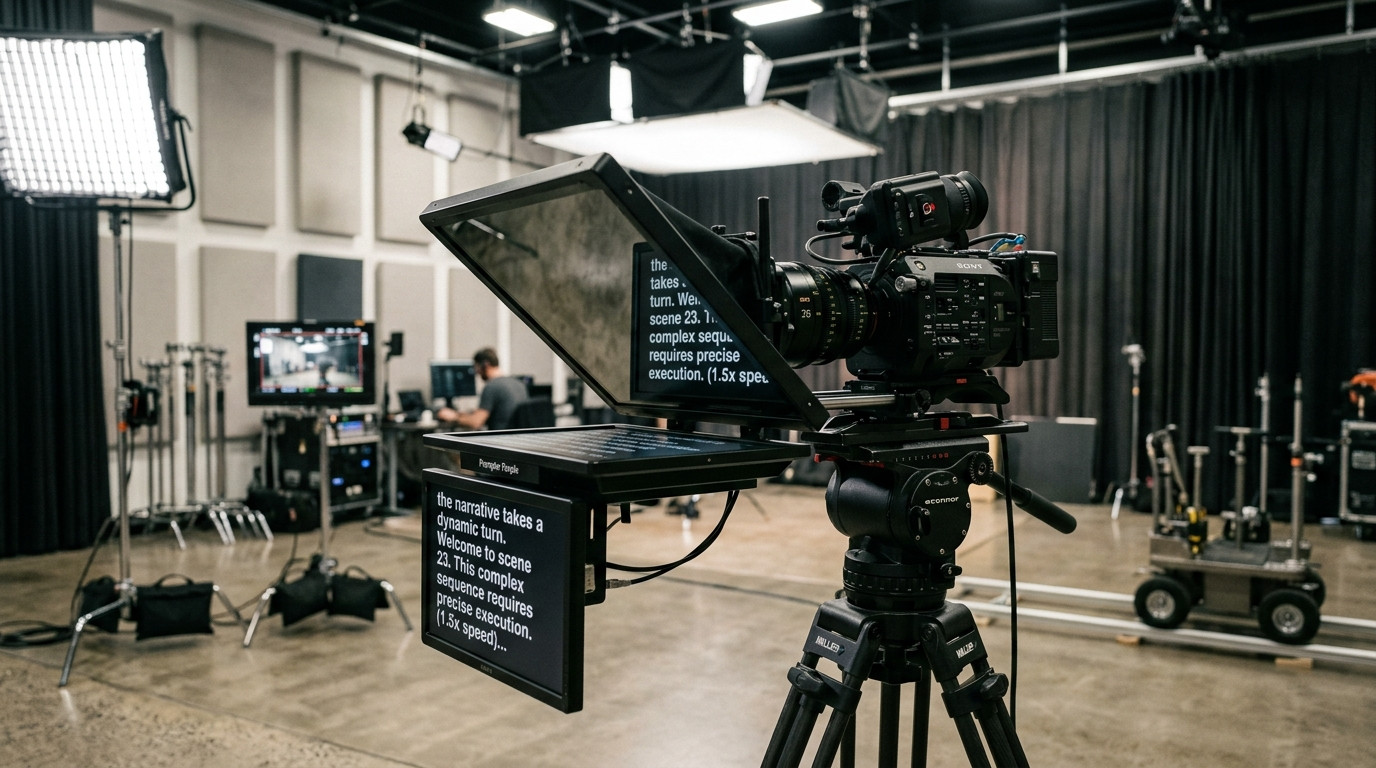
The Problem with Wired Teleprompter Cables on Set
Every director of photography and studio technician knows the physical headache of running hardwired video feeds to a camera-mounted teleprompter. When you clamp a heavy beam-splitter glass rig onto 15mm or 19mm studio rods, the last thing your camera assistant wants to manage is a bulky HDMI or SDI cable draped across the studio floor. Long cable runs create tripping hazards, snag on tripod fluid heads during panning moves, and place unnecessary torque on delicate camera ports. Even worse, standard display cables tether the entire camera package to an operator desk, making rapid reframing or mobile camera moves practically impossible.
Historically, studio crews attempted to solve this tethering problem by mounting dedicated wireless video transmitters, such as Teradek systems, directly to the prompter monitor. While zero-delay wireless HDMI transmitters work for director monitoring, dedicating an expensive transmitter channel just to beam text to a prompter tray introduces heavy battery drains, receiver heat, and unpredictable RF interference inside busy studio stages. Modern digital production demands a far cleaner, lightweight approach that eliminates hardware clutter while maintaining instant responsiveness.
Understanding the Modern Wireless Prompter Architecture
True wireless prompting does not require transmitting raw video signals over microwave transmitters. Instead of sending rendered pixels across heavy video downlinks, a modern wireless workflow transmits lightweight text and clock position data over standard local network infrastructure. By mounting a lightweight tablet, iPad, or secondary monitor tray beneath the 45-degree beam-splitter hood and feeding it via browser technology, you convert the prompter into an independent display client.
In this workflow, the talent screen calculates its exact scroll position locally using frame-accurate clock synchronization. The operator drives the script from a laptop at the control desk, yet no video cords connect the workstation to the camera rig. Because only scroll velocity, text updates, and position offsets travel across the network, bandwidth consumption is negligible. This approach ensures that even if local Wi-Fi experiences a momentary signal spike or RF drop, the script continues scrolling smoothly without skipping frames or freezing talent in mid-sentence.
Mounting and Powering the Wireless Talent Rig
Building a tidy wireless rig starts with smart power and rigging management on your camera package. Rather than powering a bulky high-bright production monitor from a wall outlet, use a modern high-resolution tablet mounted in an aluminum cradle beneath the beam-splitter glass. High-resolution mobile screens offer exceptional contrast and pixel density, ensuring sharp font edges even when reflected through 70/30 or 60/40 optical glass.
To maintain a completely wireless camera build, power the tablet directly from your camera battery plate via USB-C using a regulated D-Tap adapter from your V-Mount or Gold-Mount cinema battery. This keeps your rig self-contained on the tripod head with zero trailing cords. Before rolling, ensure the operating system display auto-lock is handled gracefully. While standard operating systems tend to sleep screens after several minutes of inactivity, launching your production script through Prompter Share automatically activates a native browser wake lock on all plans, keeping the talent screen awake and illuminated through long, complex takes.
Hardware-Free Optical Mirroring Without Scrambled Controls
One major hurdle of ditching dedicated prompter monitors is optical reflection. When reading text through a 45-degree beam-splitter glass hood, the physical reflection reverses the image horizontally. Traditional prompter hardware monitors include internal dip-switches or firmware buttons to flip the display image, but consumer tablets and standard web browsers do not offer native hardware flip settings without scrambling the operating system interface.
Trying to mirror an entire tablet screen at the operating system level makes navigation nearly impossible for crew members. A purpose-built remote prompting software resolves this instantly. By using the single-key mirror toggle inside Prompter Share, the talent viewer link flips text horizontally or vertically in real time. The reflected words appear completely natural to the on-camera presenter looking down the barrel of the lens, while the operator controller screen remains right-reading, clear, and perfectly formatted for edits and pacing adjustments.
Controlling the Take from the Camera Position
In lean production units, solo creator studios, or fast-paced commercial shoots like those produced with Envy Creative, the person directing the talent or operating the A-camera cannot always sit behind a desk workstation. When an assistant director, producer, or solo operator needs to stand beside the matte box to give direct eye contact and performance feedback, running back and forth to adjust a script ruins production rhythm.
A modern wireless setup provides secondary control access directly from a mobile phone. By opening a lightweight remote link on any smartphone, the director standing right next to the talent can play, pause, increase scroll speed, jump lines, or restart the take from the camera position without touching the main console. This multi-point control architecture gives solo creators and small video crews complete operational freedom while keeping camera moves fast, fluid, and unencumbered by wires.
Pre-Flight Studio Checklist for Wireless Reliability
Before calling quiet on set and rolling camera, run through this five-point wireless prompter verification checklist:
- Verify Local Network Stability: Connect both the operator laptop and the camera tablet to a dedicated 5 GHz studio Wi-Fi network, isolating your production devices from guest traffic.
- Engage Browser Fullscreen and Wake Lock: Open the talent viewer link on the camera tablet and trigger full-screen mode to remove browser address bars and distraction elements, confirming the active wake lock is engaged.
- Calibrate Optical Mirroring: Step in front of the lens, check the reflection against the camera sensor, and tap the mirroring toggle to ensure text reads correctly from left to right.
- Establish Secondary Remote Pairing: Open the phone remote control link on your mobile device to verify immediate tactile response for play, pause, and speed adjustments.
- Run a Pacing Read-Through: Have your talent read the opening three sentences at normal conversational speed, dialing in the scroll velocity between 1 and 10 to match their natural cadence before calling action.
By transitioning from clumsy video cables to a clean wireless teleprompter workflow powered by Prompter Share, you protect your studio set from hazards, speed up camera repositions, and ensure every presenter delivers a crisp, confident take on camera.